Firewall Configuration is a crucial aspect of cybersecurity that safeguards networks against a variety of threats. As the first line of defense, firewalls serve to filter incoming and outgoing traffic based on predetermined security rules, effectively preventing unauthorized access and potential breaches. Given the increasing sophistication of cyberattacks, understanding how to configure firewalls correctly has never been more important.
This topic delves into the importance of firewall configuration, exploring various types of firewalls, their specific configurations, and the best practices to enhance security. By examining real-world examples and discussing common mistakes, this guide aims to equip you with the knowledge to leverage firewall technology effectively in your organization.
The Importance of Firewall Configuration in Cybersecurity
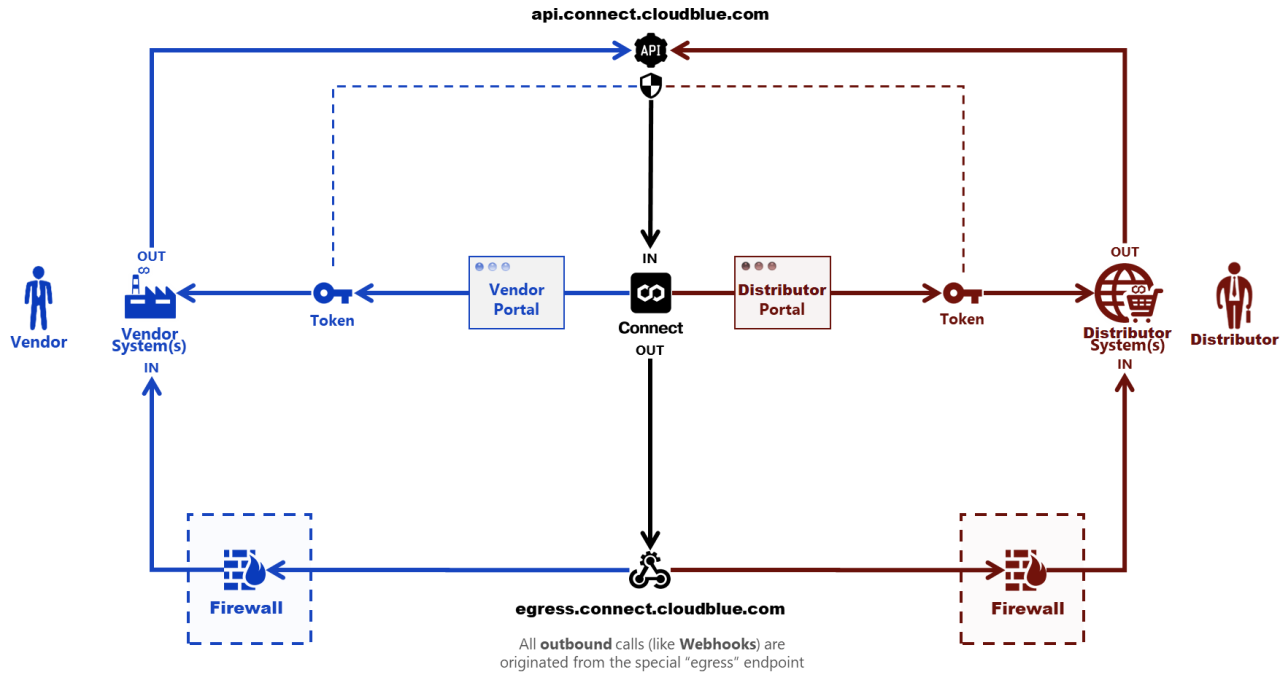
Firewall configuration is a fundamental pillar in the realm of cybersecurity, serving as the first line of defense against a myriad of threats that target network integrity and data security. A well-configured firewall acts as a barrier between trusted internal networks and untrusted external networks, thereby controlling the flow of incoming and outgoing traffic based on predetermined security rules. The significance of proper firewall configuration cannot be overstated; it not only protects sensitive data but also ensures compliance with regulatory standards.
Effective firewall configuration plays a critical role in mitigating various cybersecurity threats. Among these threats are unauthorized access, malware attacks, data breaches, and denial-of-service (DoS) attacks. By implementing stringent firewall rules, organizations can significantly reduce their risk exposure. For instance, firewalls can block harmful traffic from known malicious IP addresses and prevent unsolicited inbound connections. The importance of maintaining and regularly updating firewall configurations is underscored by the fact that threats evolve, and attackers constantly seek vulnerabilities to exploit.
Examples of Poor Firewall Configuration Leading to Breaches
The consequences of inadequate firewall configuration can be dire, with numerous real-world incidents illustrating the potential risks. One notable case occurred in 2019, when a misconfigured firewall allowed hackers to access sensitive personal data from Capital One, exposing information of over 100 million customers. This incident highlighted the vulnerability of organizations that neglect proper firewall rules and settings, demonstrating that even large entities can fall victim to seemingly simple missteps.
Another example is the incident involving the Target retail chain, where hackers exploited a weak firewall configuration to breach the company’s network, resulting in the theft of credit card information from millions of customers. The breach was traced back to a third-party vendor that had insufficient security measures in place, emphasizing the importance of not only securing internal firewall settings but also ensuring that external connections are managed effectively.
Ultimately, these incidents illustrate the critical need for organizations to prioritize firewall configuration, routinely audit security settings, and educate staff on the importance of adhering to established protocols. A proactive approach to firewall management can significantly reduce exposure to cyber threats, safeguarding both organizational assets and customer trust.
Types of Firewalls and Their Configurations
Firewalls are essential components of any organization’s cybersecurity strategy, serving as the first line of defense against external threats. Understanding the different types of firewalls and their specific configurations is crucial for effective network security. This section will delve into the various types of firewalls—packet-filtering firewalls, stateful inspection firewalls, and application-layer firewalls—along with their unique configurations and the implications of these configurations in real-world scenarios.
Packet-Filtering Firewalls
Packet-filtering firewalls operate at the network layer, inspecting packets of data as they attempt to enter or exit a network. These firewalls evaluate packets based on predefined rules such as IP addresses, port numbers, and protocols. The configuration of a packet-filtering firewall is straightforward, as it typically involves specifying which packets are allowed or denied access.
Key configuration elements include:
- Access Control Lists (ACLs): ACLs are critical in defining the rules for allowing or blocking traffic. Each rule specifies source and destination addresses, port numbers, and protocols.
- Stateless Rules: Packet-filtering firewalls don’t maintain a state table, meaning they treat each packet in isolation. This makes it essential to configure rules that account for all packets that may be relevant.
- Logging and Alerts: Enabling logging helps to monitor and analyze traffic patterns and potential security incidents.
Effective rule configuration in packet-filtering firewalls is vital to minimize vulnerabilities while allowing legitimate traffic.
A case study in a small business showed that implementing a packet-filtering firewall with stringent ACLs reduced unauthorized access attempts by over 70%, illustrating its effectiveness in a straightforward networking environment.
Stateful Inspection Firewalls
Stateful inspection firewalls enhance the basic functionality of packet-filtering by maintaining a state table that tracks the state of active connections. This capability allows for a more nuanced approach to filtering, as these firewalls can determine which packets belong to existing connections and which are new.
Configurations unique to stateful inspection firewalls include:
- Connection Tracking: Firewalls maintain session information to validate packets, ensuring that only legitimate responses are allowed back into the network.
- Dynamic Rules: The rules can adapt based on the state of the connection, allowing for more flexible and secure filtering.
- Timeout Settings: Configuring timeout settings for inactive connections helps free up resources and prevent potential exploitations of stale sessions.
Stateful inspection provides a robust security posture by intelligently managing and filtering traffic based on connection states.
In a financial institution, deploying a stateful inspection firewall led to a significant reduction in threats, including Denial-of-Service (DoS) attacks, demonstrating its capability to protect sensitive information and resources effectively.
Application-Layer Firewalls
Application-layer firewalls operate at the application layer of the OSI model, analyzing the data being transmitted to identify and block malicious traffic based on application data rather than just packet headers. This type of firewall is particularly effective against threats such as SQL injection and cross-site scripting (XSS).
Configuration aspects for application-layer firewalls include:
- Protocol Filtering: Administrators can set rules based on specific applications, allowing or denying traffic according to the needs of the organization.
- Deep Packet Inspection (DPI): DPI analyzes the content of packets to detect harmful payloads, enabling better mitigation of application-layer attacks.
- URL Filtering: Blocking access to known malicious URLs can prevent users from inadvertently accessing harmful sites.
Application-layer firewalls are essential for defending against sophisticated threats that target vulnerabilities in applications.
A notable case involved a large e-commerce platform that implemented an application-layer firewall, resulting in a 60% decrease in successful attacks targeting user data, showcasing its critical role in safeguarding sensitive transactions.
Steps for Configuring a Firewall Effectively
Configuring a firewall is a crucial step in protecting your network from unauthorized access and cyber threats. A well-configured firewall not only improves security but also optimizes the performance of your network by controlling incoming and outgoing traffic. This guide Artikels the essential steps to effectively set up a firewall, along with best practices to enhance both security and performance.
Step-by-Step Configuration Process
The process of configuring a firewall involves several systematic steps. Following these will help ensure that your network is secure and functions optimally.
1. Assess Your Network Needs:
Understand the specific needs of your organization. Identify which services need to be accessible from the outside and which ones should be restricted. Determine the types of traffic you want to allow or deny.
2. Choose the Right Firewall Type:
Different types of firewalls serve different needs. Options include hardware firewalls, software firewalls, and cloud-based firewalls. Select the one that best fits your network architecture and security requirements.
3. Install and Update the Firewall:
After selecting a firewall solution, install it according to the manufacturer’s guidelines. Ensure that the firmware is up-to-date to protect against known vulnerabilities.
4. Define Security Policies:
Create rules that specify what traffic is allowed and what is denied. Use the principle of least privilege, thereby allowing only the necessary access for users and applications.
5. Configure Zones and Interfaces:
Most firewalls allow you to create different zones (e.g., internal, external, DMZ). Configure the interfaces and assign them to these zones to segregate traffic accordingly.
6. Set Up NAT (Network Address Translation):
Configure NAT to hide internal IP addresses from external networks. This adds a layer of security by preventing direct access to internal network devices.
7. Enable Logging and Monitoring:
Set up logging and monitoring to keep track of traffic and potential security incidents. This will help in identifying unusual patterns or unauthorized access attempts.
8. Regularly Review and Update Rules:
Periodically review firewall rules and update them according to changes in network architecture or security threats. Remove any outdated or unnecessary rules to streamline performance.
9. Test the Configuration:
Conduct penetration testing and vulnerability scanning to assess the efficacy of your firewall configuration. Analyze results and make adjustments as needed.
10. Educate Your Team:
Ensure that all team members are aware of the firewall policies and understand their roles in maintaining security. Regular training and updates are essential.
Firewall Configuration Checklist
To ensure that all configuration steps are covered, consider the following checklist:
| Step | Status |
|---|---|
| Assess network needs | |
| Choose the right firewall type | |
| Install and update the firewall | |
| Define security policies | |
| Configure zones and interfaces | |
| Set up NAT | |
| Enable logging and monitoring | |
| Regularly review and update rules | |
| Test the configuration | |
| Educate your team |
By following these steps and utilizing the checklist, users can efficiently configure their firewall to enhance network security and performance.
Common Mistakes in Firewall Configuration to Avoid
Firewall configuration is a critical task in maintaining the security of any network. It acts as a barrier between trusted and untrusted networks, safeguarding sensitive information from unauthorized access. However, certain common mistakes during firewall setup can lead to vulnerabilities and potential breaches. Awareness of these pitfalls is essential for strengthening your security posture and ensuring that your firewall effectively protects your network.
Misconfigurations can occur for a variety of reasons, such as lack of experience, oversight, or simply underestimating the complexity of firewall rules. Below, we identify frequent mistakes made during firewall configuration and discuss how to rectify these issues to fortify your overall security.
Common Mistakes in Firewall Configuration
Understanding the common missteps can help you avoid them and enhance your firewall’s effectiveness. Here are some prevalent errors along with brief descriptions:
- Default Settings: Many users tend to stick with the default configuration. This can leave the firewall vulnerable since defaults are widely known and targeted by attackers. Always customize settings according to your specific security requirements.
- Overly Permissive Rules: Allowing too much traffic through the firewall can expose your network to threats. Ensure that rules are as restrictive as possible, only allowing necessary traffic.
- Neglecting to Update Rules: Firewall rules should be dynamic, adapting to changes in the network or threat landscape. Regular reviews and updates are essential to maintain security.
- Failing to Log Traffic: Without logging, it’s difficult to monitor suspicious activity or breaches. Ensure that logging is enabled and regularly reviewed to help identify potential threats.
- Ignoring Security Policies: Every organization should have a clear security policy that dictates firewall rules. Ignoring established policies can lead to inconsistent and ineffective firewall configurations.
- Complex Rule Sets: Creating overly complex rule sets can lead to misinterpretation and errors. Simplifying rule sets can enhance clarity and reduce the risk of accidental misconfigurations.
- Not Testing Configurations: Before deploying firewall changes, conduct thorough testing in a controlled environment. This practice helps identify potential issues without exposing the live network.
Correcting these mistakes not only strengthens your firewall configuration but also fortifies your overall security framework. Regular audits, continuous education, and staying informed about emerging threats are key strategies in maintaining a robust firewall environment. Additionally, employing best practices such as implementing least privilege access, utilizing multi-factor authentication, and conducting periodic penetration testing ensures that your security measures remain effective against evolving cyber threats.
“A well-configured firewall is a cornerstone of any effective cybersecurity strategy.”
Regular Maintenance and Updates of Firewall Configurations
Regular maintenance and updates of firewall configurations are crucial for the security and efficiency of network systems. Firewalls serve as a primary defense against unauthorized access and cyber threats, and outdated rules or misconfigurations can leave systems vulnerable. Ensuring that firewall settings are regularly reviewed and updated not only enhances security but also guarantees that the system operates optimally, adapting to new threats and changes in the network environment.
The significance of conducting regular reviews and updates of firewall settings cannot be overstated. Cyber threats are constantly evolving, making it imperative for organizations to stay ahead of potential risks. Regular updates help in recognizing and mitigating vulnerabilities that may have been discovered since the last configuration. Furthermore, as businesses evolve, so do their network requirements. Adjusting firewall rules to align with new applications, services, or changes in the network architecture is essential for maintaining an effective security posture.
Scheduling and Conducting Routine Checks
Establishing a routine schedule for firewall checks and updates is vital for maintaining security. Organizations should consider the following guidelines when creating a maintenance schedule:
- Frequency of Reviews: Firewall configurations should be reviewed at least quarterly, but more frequent checks may be necessary in dynamic environments where changes occur regularly.
- Change Management Process: Implement a formal change management process to evaluate any modifications needed in firewall settings. This could include assessing the impact of new software deployments or network changes.
- Documentation of Changes: Every update or alteration made to the firewall configurations should be meticulously documented. This creates an audit trail and helps in reverting changes if a new configuration leads to issues.
Creating a checklist for each review can enhance the efficiency of this process. This checklist could include verifying the effectiveness of existing rules, ensuring that logging and alerting mechanisms are functioning correctly, and evaluating the firewall’s performance metrics.
Maintaining a clear history of configuration changes is essential for both security and compliance purposes. Keeping detailed records of modifications ensures accountability and provides a reference for troubleshooting. Here are effective methods for documenting changes over time:
Methods for Documenting Configuration Changes
A clear documentation strategy can significantly aid in maintaining the integrity of firewall configurations. Consider employing the following methods:
- Version Control Systems: Utilize version control tools to track changes in configuration files. This allows easy comparison between versions and helps in identifying when specific changes were made.
- Change Logs: Maintain a detailed change log that records each modification along with the date, reason for the change, and the individual responsible. This can be beneficial for audits and internal reviews.
- Automated Tools: Leverage automated tools that can capture changes in real-time and alert administrators. These tools can provide snapshots of configurations at various points in time, making it easier to analyze changes over time.
By incorporating these strategies, organizations can ensure that their firewall configurations are not only secure but also well-documented. This proactive approach to firewall maintenance will help mitigate risks and enhance the overall security posture of the organization.
The Role of Automation in Firewall Configuration
Automation in firewall configuration is rapidly transforming the approach organizations take to network security. With the increasing complexity of IT environments, manual configurations are becoming less feasible, as they are not only time-consuming but also prone to human error. Automation tools simplify the processes involved in configuring firewalls, leading to more consistent and reliable security policies. By enabling rapid deployment, updates, and monitoring of security rules, automation enhances overall operational efficiency and strengthens network defenses.
Automation tools can streamline the firewall configuration process in various ways. Firstly, they allow for the centralized management of firewall settings across multiple devices, ensuring uniformity in configurations. Secondly, automation can facilitate real-time monitoring and alerting for security incidents, which is critical for timely responses. Thirdly, automated tools enable the deployment of predefined templates for common firewall rules, significantly reducing configuration time and minimizing the risk of misconfiguration. These benefits not only save IT personnel hours of work but also allow them to focus on more strategic security initiatives.
Automation Solutions for Firewall Management
The market offers a range of automation solutions designed specifically for firewall management, each with its unique benefits. These tools can significantly enhance the efficiency and effectiveness of firewall configurations. Some notable solutions include:
- Firewall Management Software: Applications like Palo Alto Networks Panorama or Cisco Firepower Management Center provide centralized control, allowing administrators to manage multiple firewalls from a single console.
- Configuration Management Tools: Tools such as Ansible and Puppet enable automated deployment and configuration of firewall rules, ensuring that best practices are consistently applied across the environment.
- Security Information and Event Management (SIEM): Solutions like Splunk or IBM QRadar can be integrated with firewalls to automate the logging and analysis of security events, providing insights for better decision-making.
While automated processes offer substantial advantages, it’s essential to consider the comparison with manual configurations. Manual configuration allows for a high degree of customization and control, appealing to organizations with unique security needs. However, it is often labor-intensive and susceptible to human errors. Conversely, automated processes enhance speed and accuracy, yet may lack the flexibility required for highly specific scenarios.
“Automation not only optimizes the firewall configuration process but also mitigates the risks associated with human error.”
Ultimately, understanding the role of automation in firewall configuration is crucial for organizations looking to enhance their security posture while maintaining efficient operations.
Testing the Effectiveness of Firewall Configurations
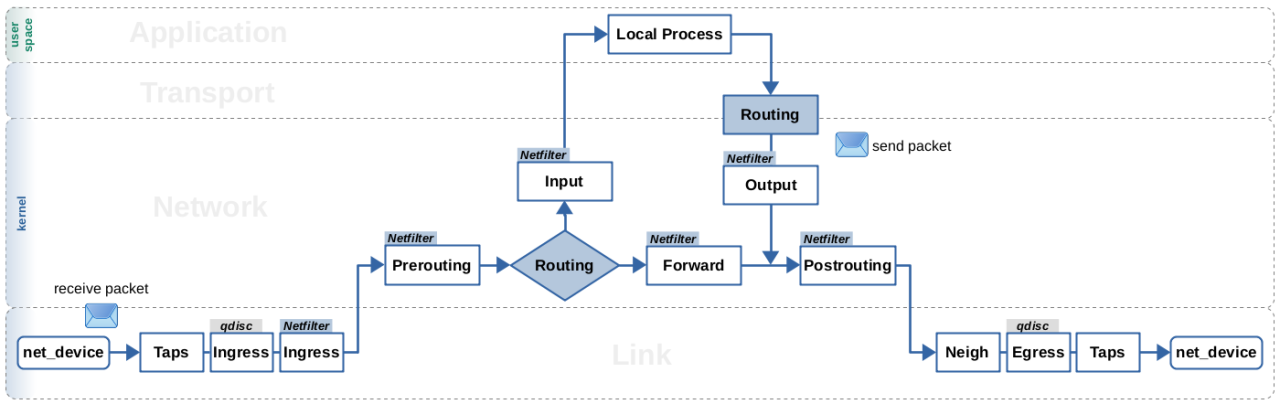
To ensure robust security, it’s vital to periodically test the effectiveness of firewall configurations. Proper testing identifies vulnerabilities that could be exploited by malicious entities. It helps in validating the firewall rules and ensures they effectively block unauthorized access while allowing legitimate traffic. This proactive approach aids in maintaining a secure network environment.
Methods to Test Firewall Configurations
Testing firewall configurations involves various methods that assess the effectiveness of established rules. Each method provides insights into potential weaknesses and the overall resilience of the firewall. The following methods are commonly employed:
1. Port Scanning: Tools like Nmap are widely used to identify open ports and services running on a firewall. Port scanning helps determine if the firewall is correctly blocking or allowing traffic based on the defined rules.
2. Vulnerability Scanning: A tool such as Nessus can be used to conduct vulnerability assessments. It scans the network for known vulnerabilities, ensuring that the firewall configurations prevent exploitation of weaknesses.
3. Penetration Testing: This method simulates an attack on the firewall to evaluate its defenses. Tools like Metasploit can be utilized for executing controlled exploits, helping to identify how far an attacker could penetrate through the firewall.
4. Traffic Generation: Tools like hping3 can generate custom TCP/IP packets to test how the firewall responds to unusual traffic scenarios. This is essential for evaluating rule effectiveness against non-standard protocols or port usage.
5. Log Analysis: Regularly analyzing firewall logs can reveal patterns of blocked and allowed traffic. Tools such as Splunk or ELK Stack can help in parsing and visualizing log data to identify potential misconfigurations or attack attempts.
6. Rule Testing: Manually testing firewall rules by attempting to access restricted services helps validate the intended blocking behavior. This can include attempting to connect to unauthorized ports or using forbidden protocols.
7. Compliance Testing: Ensuring that the firewall configurations comply with industry standards (like PCI-DSS or HIPAA) can be performed using compliance testing tools. This identifies areas where the firewall may fall short of compliance requirements.
The following table summarizes these methods alongside their descriptions and typical use cases:
| Testing Method | Description | Use Case |
|---|---|---|
| Port Scanning | Identifies open ports and services on the firewall. | Used to verify if the firewall blocks unauthorized ports. |
| Vulnerability Scanning | Checks for known vulnerabilities in the network. | Ensures firewall rules mitigate potential threats. |
| Penetration Testing | Simulates real-world attacks on the firewall. | Tests the firewall’s ability to withstand attacks. |
| Traffic Generation | Creates custom traffic to test firewall response. | Evaluates rule effectiveness against unusual traffic. |
| Log Analysis | Analyzes logs for patterns of traffic. | Identifies misconfigurations and potential threats. |
| Rule Testing | Manually tests access to restricted services. | Validates blocking behavior of firewall rules. |
| Compliance Testing | Ensures firewall settings meet industry standards. | Verifies compliance with regulations like PCI-DSS. |
Utilizing these methods provides comprehensive insights into the effectiveness of firewall configurations, ensuring the network remains secure against evolving threats. Regular testing not only helps identify gaps in security but also reinforces the overall integrity of the firewall.
Compliance and Regulatory Considerations in Firewall Configuration
Aligning firewall configurations with industry regulations and standards is essential for businesses operating in today’s digital landscape. With increasing cyber threats and the evolution of data protection laws, organizations must ensure their security measures not only protect their assets but also comply with applicable legal and regulatory frameworks. Failing to do so can lead to severe consequences that can impact both operational viability and reputation.
Compliance with regulations such as the General Data Protection Regulation (GDPR), the Health Insurance Portability and Accountability Act (HIPAA), and the Payment Card Industry Data Security Standard (PCI DSS) is critical. Each of these standards has specific requirements regarding data protection, including how firewalls should be configured to safeguard sensitive data. For example, PCI DSS mandates that businesses handling credit card transactions must implement firewalls that protect cardholder data from unauthorized access. By adhering to these regulations, businesses not only enhance their security posture but also build trust with customers and partners.
Implications of Non-Compliance
The implications of non-compliance can be far-reaching and detrimental to any organization. Regulatory bodies impose hefty fines and penalties for violations, which can severely affect a company’s financial standing. Companies can also face legal action from customers and stakeholders whose data may be compromised due to inadequate security measures. Additionally, non-compliance can result in reputational damage, leading to a loss of customer trust and market share.
For instance, in 2020, British Airways faced a potential fine of £183 million following a data breach that compromised the personal information of approximately 500,000 customers. This incident highlighted the financial and reputational risks associated with non-compliance and underscored the necessity for robust firewall configurations that align with regulations.
Resources for Compliance Guidelines
Ensuring that firewall configurations meet compliance requirements is a multifaceted task. Organizations can utilize various resources to achieve this goal effectively. Industry standards and guidelines provide frameworks to follow:
- National Institute of Standards and Technology (NIST): NIST publications such as SP 800-53 offer comprehensive guidelines on security and privacy controls for federal information systems and organizations.
- Center for Internet Security (CIS): The CIS Controls provide a prioritized set of actions to protect organizations from cyber threats, including firewall configuration best practices.
- ISO/IEC 27001: This international standard Artikels the requirements for establishing, implementing, maintaining, and continually improving an information security management system (ISMS).
Utilizing these resources empowers businesses to implement effective firewall configurations that meet compliance standards while boosting overall security. Moreover, staying informed about changes in regulations and industry best practices is crucial for maintaining compliance over time. Organizations should regularly review and update their firewall settings and policies to align with evolving compliance requirements, ensuring they are always a step ahead in the face of potential cyber threats.
Understanding Logging and Monitoring in Firewall Configuration
Effective logging and monitoring are crucial components in maintaining the security and performance of a firewall. By systematically capturing and analyzing the activities that traverse through a firewall, organizations can gain insights into their network traffic, identify potential threats, and respond promptly to incidents. The significance of logging cannot be overstated; it serves not only as a means of compliance with regulatory standards but also as a fundamental practice in incident management and network optimization.
Establishing robust logging and monitoring settings enhances the ability to detect anomalies and unusual behavior that could signify a security breach. A well-configured logging system enables the collection of valuable data such as connection attempts, traffic patterns, and any malicious activities thwarted by the firewall. This information empowers security teams to investigate incidents thoroughly, perform root cause analyses, and implement necessary changes to the firewall configuration to bolster defenses.
Configuring Logging Settings for Optimal Performance
Configuring logging settings effectively is essential for maximizing performance while ensuring comprehensive security insights. Start by determining the appropriate log level that balances detail with performance. High verbosity levels might provide extensive data but can quickly consume storage and processing resources. Conversely, lower verbosity may overlook critical events.
Consider the following configurations for an optimal logging setup:
- Log Connection Attempts: Capture both successful and failed connection attempts to monitor potential unauthorized access.
- Log Traffic Patterns: Record traffic volume and types of protocols in use to identify irregularities and bandwidth usage.
- Set Alerts for Specific Events: Configure alerts for events such as repeated failed login attempts, which may indicate a brute force attack.
- Regularly Review and Archive Logs: Establish a routine for reviewing logs and archiving data to ensure old logs do not consume excessive resources.
Monitoring key metrics plays a vital role in threat identification. Here are some critical metrics every firewall administrator should monitor:
- Number of Blocked Connections: A high number of blocked attempts may indicate probing activities by cyber attackers.
- Bandwidth Utilization: Unusual spikes in bandwidth can signify DDoS attacks or unauthorized data exfiltration.
- Top Talkers and Services: Identifying which devices or services generate the most traffic helps in understanding normal behavior versus anomalies.
By closely observing these metrics, organizations can proactively defend against threats and adjust their security postures accordingly. In summary, effective logging and monitoring not only enhance security but also contribute to the overall health and performance of network infrastructures.
Emerging Trends in Firewall Technology and Configuration
As cybersecurity threats evolve, so too does firewall technology. The latest innovations in this field are increasingly driven by the need for more intelligent, adaptable security solutions. Organizations are recognizing the importance of robust firewall configurations to protect against sophisticated threats. This discussion will delve into the current trends shaping firewall technology, highlighting how artificial intelligence (AI) and machine learning (ML) are transforming firewall management strategies and showcasing organizations that are leading the charge in the adoption of these cutting-edge technologies.
Artificial Intelligence and Machine Learning Enhancements
The integration of AI and ML into firewall technology is revolutionizing the way organizations approach cyber defense. Firewalls are no longer static systems that rely solely on predefined rules but are becoming dynamic entities capable of learning from traffic patterns and threat behaviors. This allows for more proactive and automated responses to security incidents.
Organizations leveraging AI-powered firewalls can benefit from enhanced detection capabilities. These firewalls analyze vast amounts of network data in real-time, identifying anomalies that may indicate a breach or attempted attack. As these systems learn from past incidents, they improve their accuracy and reduce false positives.
For example, a leading financial institution has implemented AI-based firewall technology to monitor and analyze their network traffic continuously. By employing machine learning algorithms, they have significantly reduced the time taken to identify and respond to potential threats, thereby safeguarding sensitive customer information more effectively.
Furthermore, next-generation firewalls (NGFW) incorporate features such as deep packet inspection and application awareness, powered by AI and ML. This enables organizations to not only block malicious traffic but also to understand user behavior and manage access controls more intelligently.
Adaptive and Cloud-based Firewall Solutions
Another significant trend is the shift towards adaptive and cloud-based firewall solutions. As businesses increasingly migrate to cloud environments, traditional on-premises firewalls are being supplemented or replaced by cloud-native firewalls. These firewalls offer scalability and flexibility essential for modern IT infrastructures.
Cloud-based firewalls provide centralized management, enabling organizations to apply security policies uniformly across all branches and remote locations. This is particularly important for businesses with a distributed workforce, as it ensures consistent protection regardless of where users are accessing the network from.
Additionally, some organizations have successfully implemented hybrid firewall models that combine on-premises and cloud capabilities. This approach allows for enhanced security while also leveraging the benefits of cloud scalability and performance. For instance, a global retail company managed to reduce operational costs and improve security efficiency by deploying a cloud-based firewall integrated with their existing on-premises security systems.
“Employing adaptive and cloud-based solutions enables organizations to stay ahead of emerging threats while accommodating rapid changes in network architecture.”
In conclusion, the landscape of firewall technology is continually evolving, significantly influenced by advancements in AI, machine learning, and the migration to cloud environments. Organizations that embrace these trends are better positioned to enhance their security posture and respond effectively to the complex cybersecurity challenges of today.
Summary
In conclusion, mastering Firewall Configuration is vital for maintaining robust cybersecurity. As threats evolve, so too must our strategies for defense. Regular review, updates, and a deep understanding of the configurations can help in mitigating risks effectively. By adopting a proactive approach, organizations can ensure their networks remain secure and resilient against emerging threats.
Query Resolution
What is firewall configuration?
Firewall configuration refers to the setup and management of a firewall’s rules and settings to control network traffic and protect against unauthorized access.
How often should firewall configurations be updated?
Firewall configurations should be reviewed and updated regularly, ideally every few months, or whenever there are major changes in the network or threat landscape.
What are the common firewall types?
The common types of firewalls include packet-filtering firewalls, stateful inspection firewalls, and application-layer firewalls, each serving different security needs.
Can firewalls prevent all cyber threats?
No, while firewalls are essential for security, they cannot prevent all cyber threats. A comprehensive security strategy should include other measures such as antivirus software and user education.
Is manual configuration better than automated configuration?
Both methods have their advantages; manual configuration allows for tailored settings while automated configuration can streamline the process and reduce human error.