Software as a Service (SaaS) has emerged as a game-changer in the tech landscape, enabling businesses to access software applications over the internet without the hassle of physical installations or extensive IT infrastructure. This model not only streamlines operations but also offers a flexible, scalable solution that meets the dynamic needs of modern enterprises. As organizations increasingly embrace cloud computing, SaaS platforms provide a cost-effective alternative to traditional software delivery, ensuring teams can work efficiently from anywhere.
With the rise of remote work and the need for seamless collaboration, SaaS tools have become essential for enhancing productivity and communication among teams. Solutions like project management software and customer relationship management systems serve as prime examples of how these applications can simplify tasks, foster innovation, and drive business growth. As we explore the comprehensive landscape of SaaS, we’ll uncover its benefits, challenges, and the future trends shaping this revolutionary approach to software delivery.
The fundamental principles behind Software as a Service (SaaS)
Software as a Service (SaaS) has fundamentally transformed the way organizations access and utilize software applications. Unlike traditional software delivery models that require on-premise installations and complex licensing agreements, SaaS provides a more streamlined and accessible solution. SaaS applications are hosted in the cloud, allowing users to access them via a web browser. This model significantly reduces the need for hardware investments and maintenance, as the software provider manages the infrastructure, security, and updates.
The core concept of SaaS revolves around delivering software on a subscription basis, where users pay for what they use instead of incurring substantial upfront costs. This model enhances scalability, enabling businesses to easily adjust their usage based on demand. Moreover, SaaS applications often come with a range of integrations and functionalities that are continuously updated, ensuring users always have access to the latest features without the hassle of manual upgrades.
Implications of cloud computing on SaaS applications
Cloud computing is the backbone of the SaaS model, providing essential benefits that revolutionize software delivery. With cloud infrastructure, SaaS applications can be accessed from anywhere, on any device, as long as there is an internet connection. This flexibility enhances remote working capabilities and allows for real-time collaboration among teams, irrespective of geographical boundaries.
The reliance on cloud technology also means that data is stored off-site, leading to potential concerns around data security and privacy. However, reputable SaaS providers implement robust security measures, including encryption and regular security audits, to protect user data. Given the shared resources in the cloud environment, it is vital for providers to ensure compliance with industry standards and regulations, such as GDPR and HIPAA.
Several well-known SaaS platforms exemplify the effectiveness and versatility of this model. Popular applications include:
- Salesforce: A leading customer relationship management (CRM) platform that helps businesses manage their sales processes and improve customer interactions.
- Google Workspace: A suite of productivity and collaboration tools, including Gmail, Docs, and Drive, enabling teams to work seamlessly together.
- Zoom: A video conferencing tool that facilitates virtual meetings and webinars, transforming communication for businesses and educational institutions.
These examples illustrate how SaaS platforms cater to a variety of needs, making software accessible, affordable, and adaptable for organizations of all sizes.
The advantages of adopting Software as a Service solutions for businesses
As businesses navigate the complexities of the modern digital landscape, adopting Software as a Service (SaaS) solutions has become increasingly advantageous. These cloud-based applications provide organizations with access to software over the internet, eliminating the need for extensive on-premises installations. This approach not only reduces costs but also enhances operational capabilities, ultimately driving business growth and efficiency.
Scalability and flexibility in pricing structures
One of the most compelling aspects of SaaS solutions is their inherent scalability. As businesses grow, their software needs often change. SaaS platforms are designed to scale up or down with ease, allowing organizations to adjust their usage based on current demand without the need for significant infrastructure investments. For instance, a startup that begins with a handful of users can easily upgrade to accommodate more team members as they expand. This flexibility allows businesses to remain agile in the face of market fluctuations.
SaaS solutions typically operate on subscription-based pricing models, which offer significant financial advantages. Organizations can choose from various plans that cater to their specific requirements, ensuring they only pay for what they need. This eliminates the burden of hefty upfront costs associated with traditional software purchases. Furthermore, many SaaS providers offer tiered pricing, enabling companies to gradually scale their investment as their needs grow. A well-known example is Salesforce, which provides a range of service tiers that cater to businesses of all sizes, allowing them to invest in the platform as they see fit.
Impact on operational efficiency and resource allocation
The operational efficiency gained from adopting SaaS applications cannot be overstated. By leveraging cloud technology, businesses can streamline processes, reduce downtime, and enhance collaboration among teams. SaaS solutions often come with automatic updates, ensuring that users have access to the latest features and security enhancements without the need for manual installations. This allows IT departments to allocate resources more effectively, focusing on strategic initiatives rather than routine maintenance.
Moreover, SaaS applications facilitate resource allocation by providing detailed analytics and reporting capabilities. Organizations can track performance metrics in real-time, enabling them to make data-driven decisions. For example, a retail company using a SaaS inventory management system can monitor stock levels and sales trends, optimizing their supply chain management. This level of insight not only improves operational efficiency but also enhances customer satisfaction by ensuring products are available when needed.
In summary, the adoption of Software as a Service solutions equips businesses with scalable, flexible, and efficient tools that support growth and operational excellence. Through strategic pricing structures and enhanced resource management, these cloud-based applications empower organizations to thrive in today’s competitive environment.
Key considerations when choosing a Software as a Service provider
Selecting the right Software as a Service (SaaS) provider is a pivotal decision for businesses aiming to leverage cloud-based solutions. With numerous vendors in the market, it’s essential to evaluate several key factors to ensure alignment with business objectives and operational needs. This evaluation helps mitigate risks and fosters a seamless integration of SaaS solutions into existing workflows.
Critical factors for evaluating SaaS vendors
When choosing a SaaS provider, consider the following critical factors that can significantly impact your business operations:
- Reliability and Uptime: Assess the vendor’s service level agreements (SLAs) regarding uptime and availability. A reliable provider should guarantee at least 99.9% uptime, minimizing disruptions to your business.
- Data Security: Examine the vendor’s security measures, including encryption protocols, data backup processes, and disaster recovery plans. Strong security practices are essential to protect sensitive information.
- Compliance Standards: Ensure that the provider adheres to relevant regulations and industry standards (e.g., GDPR, HIPAA). Compliance is crucial to avoid legal ramifications and maintain customer trust.
- Integration Capabilities: Evaluate how well the SaaS solution integrates with your existing systems and software. Seamless integration can enhance efficiency and reduce operational friction.
- Customer Support: Investigate the level of customer support provided. Responsive and knowledgeable support can assist in troubleshooting and optimizing the use of the SaaS solution.
Importance of data security and compliance
Data security and compliance are paramount when using SaaS platforms. As businesses increasingly rely on cloud-based services, the risk of data breaches and non-compliance with regulations grows. A breach can lead to significant financial losses and damage a company’s reputation. Therefore, evaluating a SaaS provider’s security framework and compliance certifications is crucial. Regular audits, vulnerability assessments, and adherence to stringent security standards should be mandatory for any vendor you consider.
Checklist of features in SaaS offerings
When evaluating potential SaaS solutions, businesses should look for specific features that enhance functionality and usability. Here’s a checklist of essential features:
- User-Friendly Interface: The platform should have an intuitive design that facilitates easy navigation and minimizes the learning curve for new users.
- Scalability: Evaluate whether the SaaS solution can scale with your business growth, accommodating increasing user demands and functionalities.
- Customizability: The ability to tailor features and workflows to meet specific business needs is vital. Customization fosters user engagement and satisfaction.
- Analytics and Reporting: Built-in analytics tools should provide insights into usage patterns and performance metrics, aiding data-driven decision-making.
- Mobile Accessibility: A mobile-friendly platform enables users to access the service on the go, enhancing productivity and convenience.
The role of Software as a Service in enhancing collaboration and remote work
Software as a Service (SaaS) has transformed the way teams collaborate and communicate, especially in remote work environments. These cloud-based solutions break down geographical barriers, allowing team members from different locations to work together seamlessly. By leveraging SaaS applications, organizations can enhance their collaboration, improve productivity, and maintain a connected workforce, regardless of physical distance.
SaaS tools are designed to facilitate teamwork through integrated communication channels, project management features, and document sharing capabilities. This creates an environment where remote teams can efficiently coordinate tasks, share ideas, and provide instant feedback. Key features that support collaboration include video conferencing, chat functions, and shared workspaces, enabling a cohesive team dynamic.
Collaborative Project Management Applications
A variety of SaaS applications specialize in enhancing collaborative project management. These tools not only streamline workflows but also foster a culture of transparency and accountability among team members. Here are some notable examples:
- Trello: A visual project management tool that uses boards and cards to organize tasks. Trello allows teams to track progress in real-time and assign responsibilities, making it easy to collaborate on projects effectively.
- Asana: A task and project management application that enables teams to plan, organize, and track their work. Asana provides features such as timelines, task assignments, and comment threads, which facilitate ongoing discussions about project deliverables.
- Slack: Though primarily a communication tool, Slack integrates with numerous project management applications. It allows teams to create channels for specific projects, ensuring that all relevant communication and documents are centralized and easily accessible.
SaaS applications significantly improve real-time data sharing and document collaboration. With these tools, multiple users can co-edit documents simultaneously, allowing for immediate updates and feedback. This eliminates the confusion that often arises from version control issues and ensures that all team members are always working with the most current information.
“Real-time collaboration not only speeds up project timelines but also enhances the quality of work by incorporating diverse insights from team members.”
By utilizing SaaS solutions, organizations can foster an environment where collaboration flourishes, enabling remote teams to work more efficiently and effectively.
Challenges and risks associated with Software as a Service
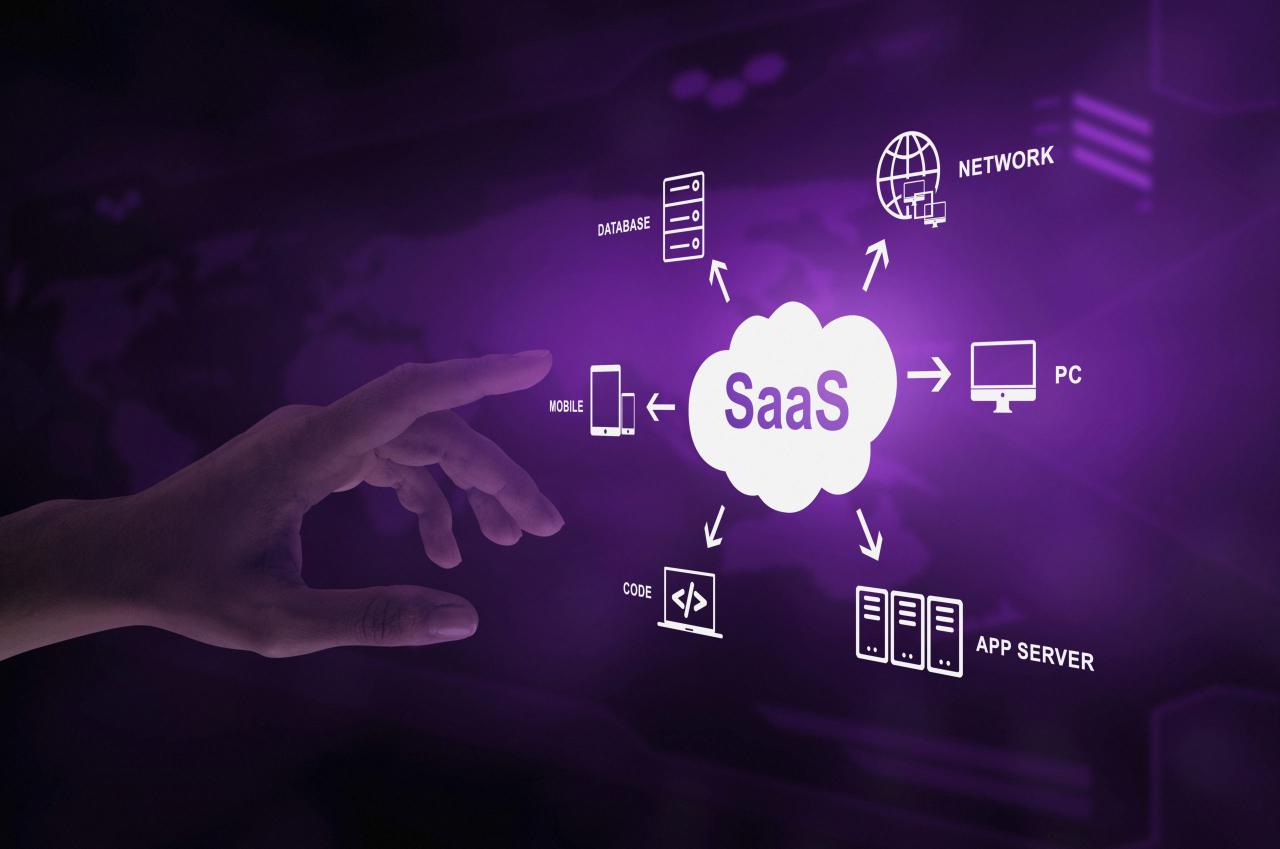
Implementing Software as a Service (SaaS) solutions presents a unique set of challenges and risks that businesses must navigate. While the potential benefits of SaaS—such as cost efficiency, scalability, and accessibility—are considerable, organizations often encounter hurdles that can impact their implementation success and overall satisfaction with the service.
Common challenges during SaaS implementation
SaaS implementation can be complex, requiring careful planning and execution. Businesses frequently face the following challenges:
- Integration with existing systems: Integrating SaaS applications with legacy systems or other software tools can be difficult. Compatibility issues may arise, requiring additional effort to ensure smooth data flow and functionality.
- User adoption: Achieving user buy-in can be a challenge, especially if the SaaS solution changes established workflows. Training and support are essential to help users transition effectively.
- Data security concerns: Storing sensitive data in the cloud raises concerns about data breaches and unauthorized access. Businesses must ensure that their SaaS provider has robust security measures in place.
- Downtime and reliability: Dependence on the internet and the provider’s infrastructure means that any downtime can significantly disrupt operations, making it crucial to evaluate uptime guarantees and support responsiveness.
Vendor lock-in and data migration risks
Vendor lock-in poses a significant risk for organizations utilizing SaaS. This occurs when businesses become overly dependent on a particular vendor’s services, making it difficult to switch providers or migrate data in the future. The consequences of vendor lock-in can include inflated costs and limited flexibility.
Data migration can also be problematic, particularly when attempting to transfer large amounts of data from one system to another. The following points highlight the potential risks:
- Incompatibility: Data formats may differ across platforms, leading to challenges in transferring information without loss or corruption.
- Cost implications: Migrating data can be resource-intensive, both in terms of time and financial investment, especially if external consultants are needed.
- Data loss risks: Without proper planning and backup strategies, there’s a potential for data loss during the migration process.
Strategies to mitigate risks
Organizations can adopt several strategies to mitigate the risks associated with SaaS implementation. These include:
- Thorough vetting of vendors: Conduct extensive research on potential SaaS providers, including their track record, compliance with industry standards, and customer reviews.
- Establishing clear contracts: Negotiate terms that address exit strategies and data ownership to minimize lock-in risks.
- Implementing robust data backup solutions: Regularly back up data to ensure it is secure and retrievable in case of issues during migration.
- Planning for user training: Invest in comprehensive training programs to facilitate user adoption and ensure that all team members are comfortable using the new system.
Future trends shaping the Software as a Service landscape
As the Software as a Service (SaaS) landscape continues to evolve, several emerging trends are set to significantly impact various industries. With advancements in technology and shifting market demands, organizations are increasingly looking for solutions that enhance efficiency, scalability, and user experience. This ongoing transformation signifies a pivotal moment for SaaS providers and their customers alike.
Emerging trends in SaaS technology
Several key trends are shaping the future of SaaS, driving innovation and altering the competitive landscape. Understanding these trends is crucial for businesses aiming to stay ahead.
- Increased adoption of multi-cloud strategies: Companies are leveraging multiple cloud services to optimize performance and reduce dependency on a single provider. This trend enhances flexibility and resilience against service outages.
- Focus on user experience: Simplified interfaces and personalized experiences are becoming paramount as SaaS providers strive to enhance customer satisfaction. Tailoring solutions to meet specific user needs is increasingly recognized as a competitive advantage.
- Integration of API-centric ecosystems: The rise of APIs allows for seamless integration between different SaaS applications, enabling businesses to create customized workflows that enhance productivity and data sharing across platforms.
- Subscription-based pricing models: Flexible pricing models are evolving, allowing companies to pay for only what they use. This trend caters to businesses of all sizes, making advanced solutions more accessible.
- Enhanced security measures: With rising concerns over data breaches, SaaS providers are prioritizing advanced security protocols and compliance with regulations like GDPR to build trust and protect customer data.
Significance of artificial intelligence and machine learning
Artificial intelligence (AI) and machine learning (ML) are integral to the ongoing evolution of SaaS offerings. These technologies enable providers to deliver smarter, more adaptive solutions. By analyzing vast datasets, AI and ML can uncover insights that inform product development and enhance user experiences.
AI-driven analytics empower businesses to make data-informed decisions, optimizing operational efficiency and strategic planning.
The implementation of AI and ML can personalize user interactions, automate routine tasks, and predict customer needs, thus fostering a more efficient workflow. For instance, customer service chatbots powered by AI can handle inquiries 24/7, significantly reducing response times and enhancing client satisfaction.
Market demands are driving innovation in SaaS solutions as businesses seek to improve efficiency, ensure data security, and enhance collaboration. Providers who can adapt to these changes will not only meet customer expectations but also gain a competitive edge in the rapidly evolving marketplace.
Case studies of successful Software as a Service implementations
The implementation of Software as a Service (SaaS) has transformed how businesses operate across various sectors. By leveraging cloud technology, organizations can improve efficiency, scalability, and overall productivity. This section presents three detailed case studies that exemplify successful SaaS deployments, the strategies employed, and the tangible benefits realized post-implementation.
Case Study: Zoom Video Communications
Zoom, a leading video conferencing platform, experienced explosive growth following its transition to a SaaS model. Amid the COVID-19 pandemic, Zoom repositioned itself as an essential tool for communication, education, and remote work. The company employed a freemium strategy, allowing users to access basic features for free while offering premium capabilities for a subscription fee.
The strategic focus on user experience and seamless integration with existing tools like Slack and Microsoft Teams significantly contributed to its rapid adoption. The outcomes were remarkable:
- Increased user base from 10 million daily meeting participants in December 2019 to over 300 million by April 2020.
- Revenue growth of 169% year-over-year, reaching $663.5 million in the fiscal year 2021.
- Enhanced brand recognition and market share in the video conferencing arena.
“Zoom’s success was grounded in its ability to adapt rapidly to market needs and user demands.”
Case Study: Salesforce in Sales and Customer Relationship Management
Salesforce, a pioneer in the CRM space, has effectively utilized its SaaS platform to streamline sales processes and enhance customer management for businesses worldwide. Salesforce’s approach involves continuous innovation and the integration of AI capabilities through its Einstein platform, which provides predictive analytics and intelligent recommendations.
Salesforce’s deployment strategy focuses on customization and user training. By offering extensive onboarding resources and a robust marketplace for third-party applications, Salesforce created an ecosystem that empowers businesses to tailor the platform to their unique needs. This led to significant benefits:
- Improvement in sales productivity by up to 30% within the first year of implementation.
- Customer satisfaction ratings soared, with many organizations reporting a 20% increase in customer retention.
- Overall revenue for Salesforce jumped to $21.25 billion in 2021, marking a 25% increase from the previous year.
“Salesforce’s commitment to innovation and customer success has set it apart as a leader in the SaaS market.”
Case Study: Shopify in E-commerce Solutions
Shopify has revolutionized the e-commerce landscape by providing a comprehensive SaaS platform for businesses to set up online stores effortlessly. The company’s strategy includes offering a user-friendly interface, extensive integrations with payment systems, and robust marketing tools that cater to small and medium-sized enterprises.
Shopify’s deployment strategies include leveraging its community of app developers to expand functionalities and enhance user experience. This has resulted in significant measurable outcomes:
- Empowered over 1.7 million businesses to launch successful online shops, generating $120 billion in sales by 2021.
- Achieved a customer satisfaction rate exceeding 90% due to its seamless onboarding processes and customer support.
- Realized a market valuation of around $175 billion, reflecting its dominance in the e-commerce SaaS sector.
“Shopify’s focus on empowering entrepreneurs has led to unprecedented growth in the e-commerce space.”
How to effectively integrate Software as a Service with existing systems
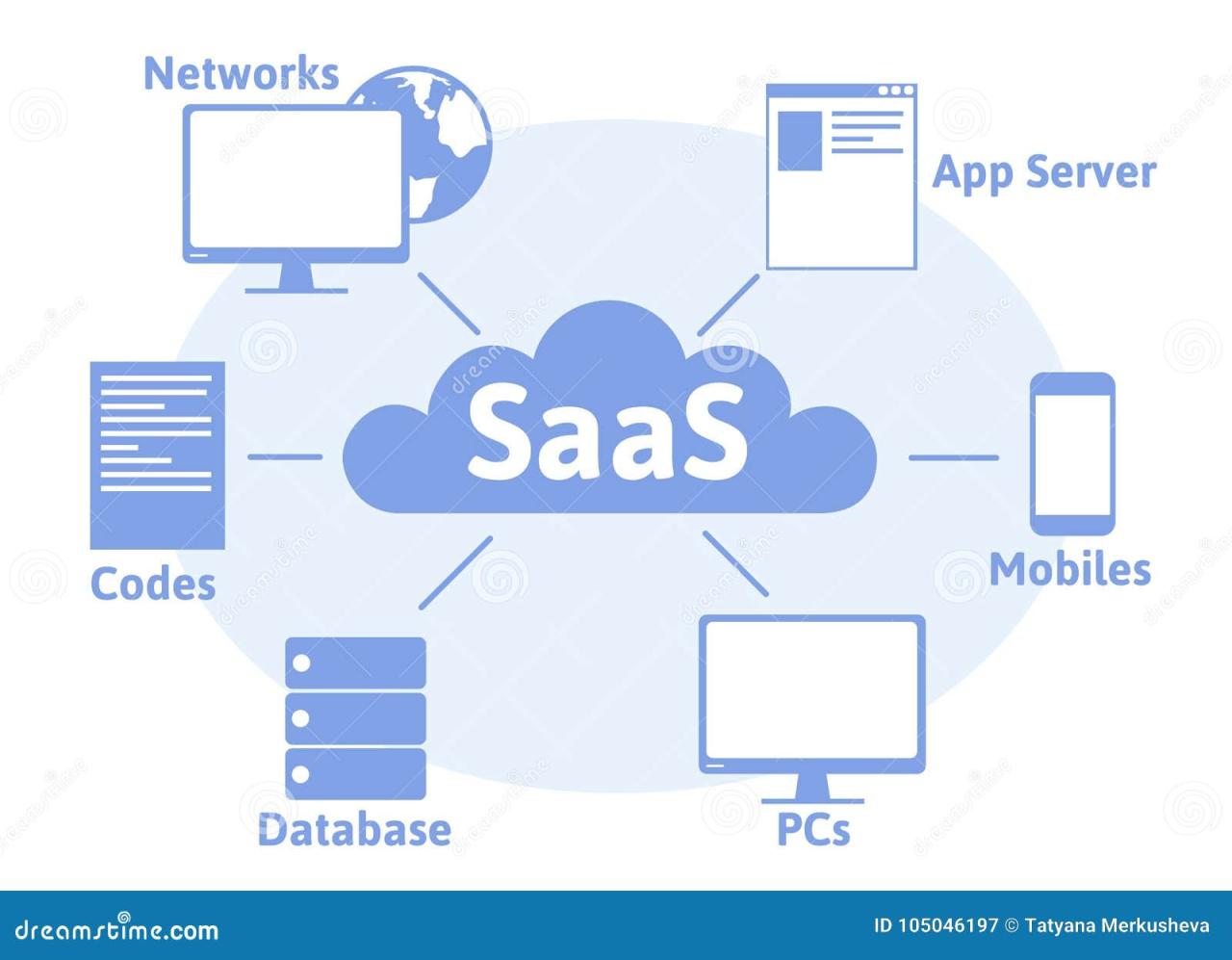
Integrating Software as a Service (SaaS) with existing systems can significantly enhance operational efficiency and streamline processes. However, it requires careful planning and execution to navigate the complexities involved, especially when working with legacy systems. Below is a step-by-step guide that Artikels how to successfully integrate SaaS applications into legacy environments.
Step-by-step Guide to Integration
To ensure smooth integration, follow these steps:
- Assess Existing Systems: Begin by analyzing your legacy systems. Identify their capabilities, limitations, and how they currently function. This assessment helps determine the best integration approach.
- Define Integration Requirements: Clearly Artikel what you hope to achieve through integration. This includes defining data flows, user requirements, and any specific functionalities needed from the SaaS application.
- Select the Right SaaS Provider: Choose a SaaS provider that aligns with your integration needs. Look for features such as API availability, support for data formats, and compatibility with your existing systems.
- Develop an Integration Plan: Create a detailed integration plan that includes timelines, resources, and responsibilities. This plan should address how data will be transferred, how often it will sync, and who will oversee the process.
- Implement Integration Tools: Utilize integration platforms and tools designed to facilitate connections between SaaS applications and legacy systems. Common tools include middleware solutions like MuleSoft, Zapier, or custom APIs.
- Test the Integration: Before going live, conduct thorough testing to ensure that data is flowing correctly and that all features function as intended. Identify any issues early to avoid complications down the line.
- Monitor and Optimize: After implementation, continuously monitor the integration to identify areas for improvement. Gather feedback from users to optimize performance and make necessary adjustments.
Common Integration Challenges
Integrating SaaS with legacy systems often presents challenges that can hinder the process. Awareness of these common obstacles can facilitate smoother transitions.
Common challenges include data silos, lack of compatibility, and potential downtime during integration.
A primary issue is data silos that arise when information is trapped within different systems, making it hard to achieve a unified view of business operations. To combat this, ensure that the integration strategy includes data mapping and cleansing processes to maintain data integrity.
Another challenge is compatibility between old and new systems. Legacy systems may not support modern APIs or data formats. To overcome this, consider using intermediary software to bridge the gap.
Finally, there is the potential for downtime during integration, which can disrupt business operations. Planning integration activities during low-traffic times and having a rollback plan can mitigate this risk.
Tools and Resources for Seamless Integration
A variety of tools and resources can facilitate the integration of SaaS applications and legacy systems. Choosing the right tools is essential for effective integration.
The right tools help in automating processes, ensuring data integrity, and reducing manual errors.
Some notable integration tools include:
- MuleSoft: Offers a robust platform for connecting apps, data, and devices through APIs.
- Zapier: A user-friendly tool that enables easy automation between SaaS applications without extensive coding.
- Integromat: Provides advanced automation options and allows for the integration of multiple services in one workflow.
- Microsoft Power Automate: Helps automate workflows and integrate with existing Microsoft services.
In addition to these tools, extensive documentation and communities around SaaS platforms can serve as invaluable resources during the integration process. Engaging with developer communities can help troubleshoot issues and share best practices.
With the right planning, tools, and awareness of potential challenges, integrating SaaS with existing systems can lead to improved efficiency and a more streamlined operational workflow.
Final Conclusion
In conclusion, the journey through the world of Software as a Service (SaaS) highlights its transformative impact on how businesses operate and collaborate. By understanding its advantages, evaluating providers carefully, and considering the future trends, organizations can harness the full potential of SaaS to enhance efficiency and drive growth. As technology continues to evolve, staying informed about innovations in SaaS will empower businesses to thrive in an increasingly digital landscape.
FAQ Section
What is Software as a Service (SaaS)?
SaaS is a cloud-based software delivery model where applications are hosted by a service provider and made available to users over the internet.
How does SaaS differ from traditional software?
Unlike traditional software, which requires installation on individual devices, SaaS is accessed online, allowing for easier updates and maintenance.
What are the primary benefits of using SaaS?
SaaS offers scalability, flexibility in pricing, reduced IT maintenance costs, and enhanced collaboration for remote teams.
Is data security a concern with SaaS?
Yes, data security is crucial in SaaS; businesses should prioritize vendors with robust security measures and compliance with regulations.
Can SaaS applications be integrated with existing systems?
Yes, many SaaS applications offer integration capabilities with existing systems, although it may require specific tools or middleware for seamless connectivity.
What industries benefit the most from SaaS?
Industries such as healthcare, finance, education, and e-commerce have significantly benefited from the flexibility and efficiency of SaaS solutions.
How can businesses mitigate risks associated with SaaS?
To mitigate risks, businesses should assess vendor reliability, ensure data backups, and develop a clear exit strategy to address vendor lock-in concerns.