Random Access Memory (RAM) is a vital component within modern computing, serving as a workspace for your system to temporarily store and access data. This fast type of memory allows for quick read and write operations, enabling smooth performance during multitasking and demanding applications. Unlike other memory types, such as Read-Only Memory (ROM) and cache memory, RAM is volatile, meaning it loses its data when the power is off. Understanding RAM’s function, types, and differences from other memory forms is crucial for anyone looking to optimize their computing experience.
As technology advances, the variety of RAM available has expanded, tailored for various applications ranging from casual browsing to high-end gaming and professional software. The choice of RAM can significantly impact your system’s performance, making it essential to grasp its nuances and select the right type for your needs.
Understanding the Basics of Random Access Memory
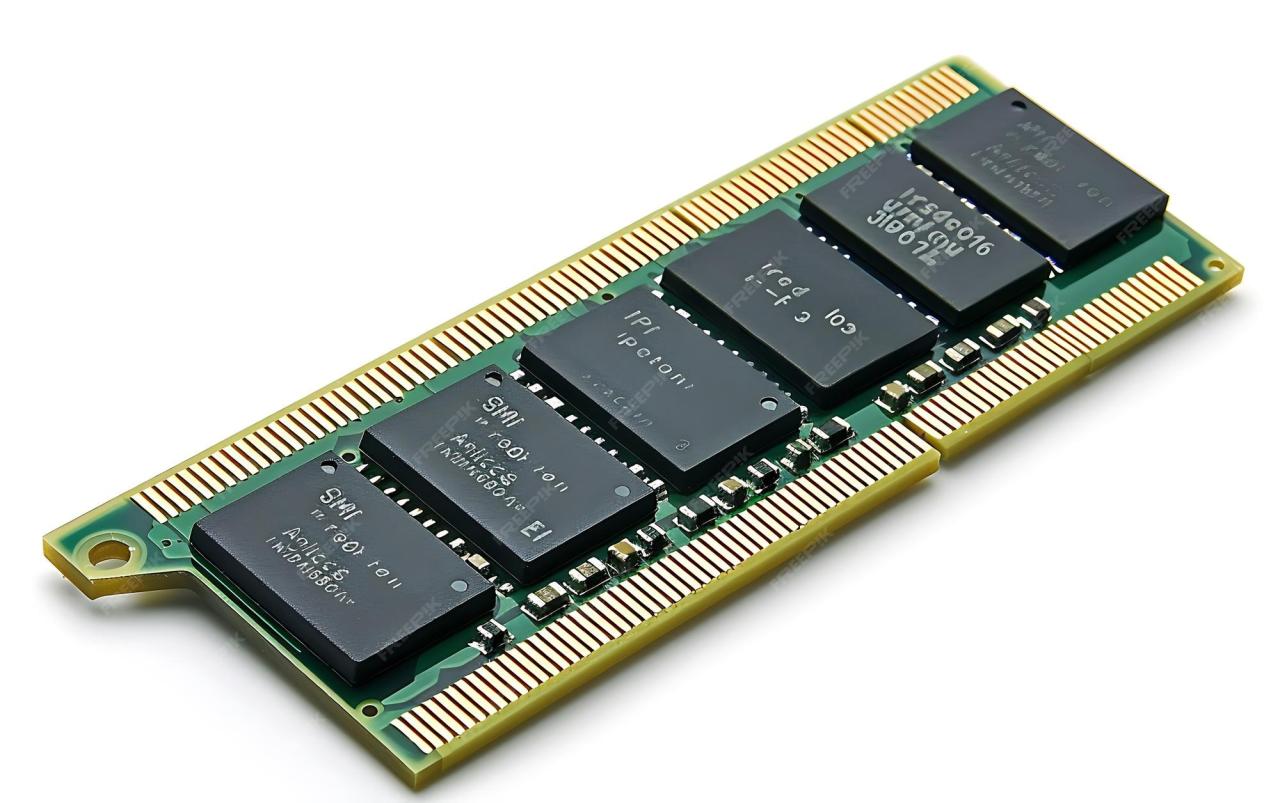
Random Access Memory (RAM) is a crucial component in computer systems, serving as the temporary storage area where data is accessed and processed. Unlike permanent storage solutions, RAM allows for quick read and write operations, enabling the CPU to retrieve and manipulate data swiftly. This capability is essential for running applications and multitasking, as it provides the necessary space for active processes and data currently in use.
RAM differs significantly from other types of memory, such as Read-Only Memory (ROM) and cache memory. ROM is non-volatile, meaning it retains data even when the power is turned off, primarily used for firmware and system boot processes. In contrast, cache memory is a smaller, faster type of volatile memory that stores frequently accessed data to speed up processing times. To summarize, while RAM provides temporary storage for active tasks, ROM stores essential system instructions, and cache memory enhances the speed of data retrieval.
Types of RAM and Their Applications
Various types of RAM are available in the market, each designed for specific applications and performance requirements. Understanding these types helps in selecting the right memory for particular computing needs.
- Dynamic RAM (DRAM): Most common type of RAM, utilized in personal computers and servers. It requires constant refreshing to maintain data integrity.
- Static RAM (SRAM): Faster than DRAM, used in cache memory for processors due to its low latency. It doesn’t need refreshing but is more expensive to manufacture.
- Synchronous Dynamic RAM (SDRAM): Works in sync with the system clock, allowing for faster data access. Commonly found in modern computers and gaming consoles.
- Double Data Rate Synchronous Dynamic RAM (DDR SDRAM): An advancement of SDRAM that transfers data on both the rising and falling edges of the clock cycle, improving performance. Different generations (DDR, DDR2, DDR3, DDR4, DDR5) offer varying speeds and efficiencies.
- Graphics RAM (VRAM): Specifically designed for video cards, it enhances graphics rendering and is crucial for gaming and graphic design applications.
The choice of RAM type greatly influences a system’s performance, particularly in environments demanding high-speed processing, such as gaming, video editing, and scientific computing. Understanding these types equips users with the knowledge to optimize their computer systems according to their specific needs.
The Role of RAM in Computing Performance
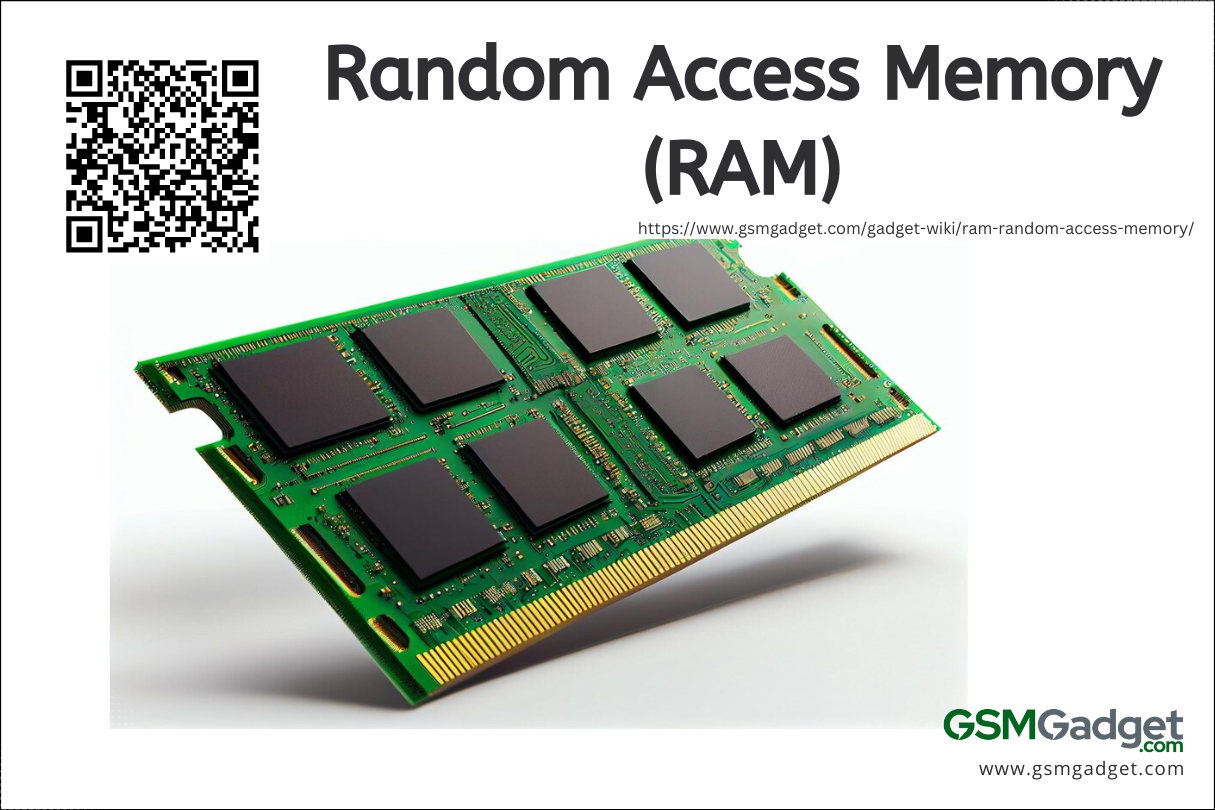
RAM, or Random Access Memory, is a critical component in any computing system, directly influencing both system speed and multitasking capabilities. It serves as temporary storage that allows the CPU to access data and applications quickly, significantly impacting how smoothly programs run and how effectively users can switch between tasks. The amount and speed of RAM can make a noticeable difference in overall computing performance, particularly in demanding environments like gaming or professional software applications.
Impact of RAM on System Speed and Multitasking
The amount of RAM installed in a system plays a significant role in determining how well a computer performs under various workloads. When a system runs out of available RAM, it resorts to using slower storage methods, such as the hard drive or SSD, to compensate. This process, known as paging, dramatically slows down performance.
For effective multitasking, a system requires sufficient RAM to run multiple applications simultaneously. For instance, a user editing a video while also browsing the web and running a music player needs more RAM than someone simply checking emails. Benchmarks such as the Geekbench and PassMark scores provide insights into RAM performance by measuring how quickly a system can perform specific tasks under different conditions.
Benchmarks for Measuring RAM Performance
Various benchmarks are available that evaluate RAM performance, showcasing both speed and efficiency. These benchmarks are essential for understanding how RAM interacts with other system components, such as the CPU and GPU. The key metrics include:
- Latency: This refers to the time taken for the RAM to respond to a request from the CPU. Lower latency generally translates to better performance.
- Bandwidth: Measured in megabytes per second (MB/s), this indicates how much data can be transferred to and from the RAM in a given period. Higher bandwidth allows for quicker data retrieval, enhancing performance in memory-intensive applications.
- Throughput: Similar to bandwidth, this measures the actual data transferred over time, reflecting real-world performance during tasks.
These benchmarks not only help consumers choose the right RAM for their needs but also help manufacturers improve their products.
RAM Size and Application Performance
The size of RAM significantly influences the performance of applications, especially in high-demand scenarios like gaming and professional software such as video editing or 3D modeling. A larger RAM capacity allows more data to be stored temporarily, enabling applications to run without accessing slower storage methods.
For gaming, modern titles often require 16GB of RAM to run smoothly at high settings, while some resource-intensive games may benefit from 32GB or more. Professional software applications also demand substantial RAM to handle large files and multitasking efficiently. For example, Adobe Premiere Pro recommends at least 16GB of RAM for optimal performance when editing videos, with 32GB suggested for intensive tasks.
“Upgrading to 16GB or more of RAM can lead to noticeable improvements in both gaming and professional application performance, allowing users to multitask seamlessly without lag.”
Overall, the role of RAM is paramount in enhancing computing performance, influencing both speed and productivity across various applications and workloads.
Evolution of RAM Technology Over the Years
The evolution of Random Access Memory (RAM) technology has been a fundamental aspect of advancements in computer performance. As computing demands have increased, so too has the need for faster and more efficient memory solutions. This evolution has transformed how devices operate, allowing for more complex applications and multitasking capabilities.
RAM technology has developed significantly, beginning with early forms and progressing to modern DDR (Double Data Rate) RAM. Each generation of RAM has introduced innovations that have revolutionized computing. Below is a timeline highlighting the key milestones in RAM technology.
Timeline of Significant Advancements in RAM Technology
The following timeline Artikels critical developments in RAM technology, illustrating how each advancement contributed to overall computing capabilities.
| Year | Technology | Description |
|---|---|---|
| 1960s | Magnetic Core Memory | First form of RAM used in computers, composed of magnetic rings that stored bits of data. |
| 1970 | Static RAM (SRAM) | Developed for its speed and reliability, SRAM uses flip-flops to store data and is faster than DRAM. |
| 1970s | Dynamic RAM (DRAM) | Introduced to provide higher density and cost efficiency, DRAM stores each bit in a capacitor, requiring periodic refreshing. |
| 1980s | EDO RAM (Extended Data Out RAM) | Improved DRAM that allowed for faster access times by overlapping the refresh cycle with read operations. |
| 1990s | SDRAM (Synchronous Dynamic RAM) | Introduced synchronization with the system clock, greatly enhancing performance in data transfer rates. |
| 2000 | DDR SDRAM (Double Data Rate Synchronous DRAM) | Improved upon SDRAM by transferring data on both the rising and falling edges of the clock signal, effectively doubling the data rate. |
| 2004 | DDR2 SDRAM | Enhanced DDR with lower power consumption and higher speeds, further improving performance in computing tasks. |
| 2007 | DDR3 SDRAM | Provided even higher speeds and bandwidth while maintaining lower voltage requirements, facilitating better performance for applications. |
| 2014 | DDR4 SDRAM | Allowed for higher capacity and speed, as well as improved power efficiency, reinforcing the performance of modern computers. |
| Future (2023 and beyond) | DDR5 SDRAM | Set to deliver greater speed and efficiency, with support for higher capacities, allowing for advancements in artificial intelligence and data-intensive applications. |
The evolution of RAM technology is characterized by continual improvements in speed, efficiency, and capacity. Each generation has built upon the last, addressing the increasing demands of software and users alike. With innovations such as DDR5 SDRAM already on the horizon, the future of RAM technology promises to enable even more complex and efficient computing environments. The significance of RAM advancements cannot be overstated, as they are pivotal in shaping the performance of modern devices and applications.
How to Choose the Right RAM for Your Needs
Selecting the right RAM is essential for optimizing your computer’s performance, whether you are gaming, working on professional applications, or just browsing the internet. Understanding the specific needs of your computing tasks can help you make an informed decision when purchasing RAM. Factors like speed, capacity, and compatibility with your motherboard play a crucial role in ensuring optimal performance.
Factors to Consider When Selecting RAM
When choosing RAM, several key factors must be taken into account to ensure you get the best performance for your particular use case. These include:
- Capacity: The amount of RAM required often depends on the applications you run. For casual users, 8GB may suffice, while gamers or professionals might need 16GB or more.
- Speed: RAM speed, measured in MHz, affects how quickly data can be processed. Higher speeds can improve performance in memory-intensive applications.
- Latency: Lower latency RAM can respond faster to requests, which can enhance performance in certain tasks.
Compatibility Issues Between RAM and Motherboards
Compatibility is vital when selecting RAM, as not all RAM will work with every motherboard. Key factors to consider include:
- DDR Versions: RAM comes in different DDR (Double Data Rate) versions, such as DDR3, DDR4, and DDR5. Ensure your motherboard supports the DDR version you select.
- Capacity Limits: Motherboards have specific limits on the maximum amount of RAM they can support. Check your motherboard’s specifications to avoid purchasing more RAM than it can handle.
- Form Factor: Ensure that the RAM fits the form factor of your motherboard, such as DIMM for desktops or SO-DIMM for laptops.
Recommended RAM Options for Different User Categories
Selecting RAM tailored to your needs can significantly enhance your computing experience. Here’s a list of recommended RAM options based on user categories:
For various use cases, here are some suitable RAM recommendations:
- Gamers: Consider high-performance kits like Corsair Vengeance LPX or G.Skill Ripjaws V, ideally with 16GB or 32GB capacity and speeds of 3200 MHz or higher.
- Professionals: For tasks that demand intensive memory usage, such as video editing or 3D rendering, options like Kingston Fury Beast or Crucial Ballistix with 32GB capacity and low latency are ideal.
- Casual Users: For general browsing or light multitasking, 8GB RAM modules such as HyperX Fury or Teamgroup Elite offer a good balance of performance and price.
“Choosing the right RAM is not just about speed but also about matching your computing needs and ensuring compatibility with your system.”
Common Issues Related to RAM and Troubleshooting Steps
RAM (Random Access Memory) plays a crucial role in the performance of your computer. It temporarily stores data that your system needs to access quickly, enabling smooth operation. However, issues with RAM can lead to significant performance degradation or even system crashes. Identifying and troubleshooting these problems can save you time and money, ensuring your computer runs efficiently.
Several symptoms can indicate failing RAM. Users might experience unexpected crashes, frequent error messages, or slow performance. These issues often manifest when running memory-intensive applications, such as games or video editing software. In more severe cases, a computer may fail to boot altogether, displaying error codes or a blue screen of death (BSOD). Recognizing these signs early can help in diagnosing potential RAM issues.
Symptoms of Failing RAM
The following are common indicators of failing RAM. Understanding these can aid in quick identification:
- Random crashes or freezes during regular use.
- Corrupted data or files that fail to save properly.
- Frequent blue screen errors with different error codes.
- Unusual noises from the computer, particularly when starting up.
- Failure to boot, with error messages highlighting memory issues.
Troubleshooting RAM Problems
Diagnosing RAM-related problems can often be performed using built-in tools and third-party software. These methods help to assess whether the memory modules are functioning correctly.
- Use the Windows Memory Diagnostic Tool: Access this by searching for “Windows Memory Diagnostic” in the start menu. Follow the prompts to restart your computer and check for memory issues.
- Run MemTest86: This third-party tool can be installed on a USB drive and run outside of the operating system. It conducts extensive tests on your RAM to identify errors.
- Monitor system performance: Tools like Task Manager can help observe RAM usage in real-time, identifying any abnormal spikes that may indicate problems.
- Inspect for physical damage: Open the computer case and check RAM modules for signs of wear, damage, or improper seating in their slots.
Testing and Replacing RAM Modules Safely
If you suspect your RAM is faulty, conducting tests and replacing modules as needed is essential. Here’s a step-by-step guide:
- Shut down the computer and unplug it from the power source to ensure safety.
- Open the computer case carefully, following manufacturer guidelines. Use an anti-static wrist strap to prevent damage to components.
- Locate the RAM modules, which are typically positioned near the CPU.
- For testing, remove one module at a time and run the system with the remaining module(s) to see if issues persist. This helps identify faulty RAM.
- Reinsert any removed RAM modules securely and close the computer case.
- If replacement is necessary, purchase compatible RAM based on your motherboard specifications.
- Install the new modules in the same slots as the old ones, ensuring they are securely seated.
- Power on the computer and check for system stability and functionality.
Always handle RAM modules with care to avoid static damage, and consult your device’s manual for specific installation instructions.
The Future of RAM
As technology continues to evolve, the future of RAM is becoming increasingly exciting with emerging trends and innovations. New types of memory are being developed that promise to enhance computing capabilities significantly. This section explores some key advancements in RAM technology, predictions for its future capabilities, and the potential challenges that may arise as these innovations take shape.
Emerging Trends in RAM Technology
Several noteworthy developments are shaping the landscape of RAM technology, including 3D XPoint and LPDDR memory. These innovations are designed to address the ever-increasing demand for speed, efficiency, and capacity in computing devices.
3D XPoint is a groundbreaking non-volatile memory technology developed by Intel and Micron. Unlike traditional NAND flash memory, 3D XPoint offers significantly faster speeds and improved endurance. This type of memory can be utilized alongside DRAM to create a more responsive computing environment, essentially bridging the gap between RAM and storage. Its potential applications range from data centers to consumer electronics, providing faster access to large datasets.
LPDDR, or Low Power Double Data Rate, is another important trend, especially in mobile devices. With each new iteration, LPDDR memory becomes more efficient, allowing devices to consume less power while delivering high performance. This trend is crucial for smartphones and laptops, where battery life is a key concern. As LPDDR evolves, we can expect enhanced speeds and efficiencies, further driving performance in portable devices.
Predictions for Future RAM Capabilities
Looking ahead, experts predict several advanced capabilities for RAM that could reshape the computing landscape. As the demand for more intensive applications grows, RAM is expected to evolve in a few critical ways.
One anticipated development is the integration of AI and machine learning directly into memory architectures. By enabling RAM to process data more intelligently, systems could achieve significant performance boosts, particularly in fields such as data analytics and real-time processing.
Another prediction is the expected increase in RAM capacity and speed. With the introduction of technologies like DDR5, we can anticipate increases in both bandwidth and storage, supporting the ever-growing needs of applications such as 8K video processing and complex simulations.
The future of RAM could see capacities reaching several terabytes for consumer devices, making massive data processing feasible on personal computers.
Challenges Affecting RAM Development and Performance
Despite the promising advancements in RAM technology, there are several challenges that could impact its development and performance in the coming years.
One significant challenge is the rising complexity and cost of manufacturing advanced RAM types. As technologies become more intricate, the production expenses are likely to increase, potentially leading to higher prices for consumers.
Additionally, the demand for faster and more efficient RAM must be balanced with energy consumption concerns. As devices become smarter and more capable, their power demands increase, prompting the need for sustainable solutions that do not compromise performance.
Another issue is the potential for saturation in the market. With numerous innovations being introduced, maintaining a competitive edge will be crucial for manufacturers. This saturation could lead to slower adoption rates for new technologies, as consumers may hesitate to invest in the latest RAM advancements if they do not perceive significant benefits.
The Impact of RAM on Mobile Devices versus Desktops
The role of RAM in mobile devices and traditional desktop computers is a critical factor that influences overall performance. While both platforms rely on RAM to facilitate multitasking and run applications efficiently, the specifications and optimization strategies differ significantly, reflecting their unique use cases and hardware constraints.
In mobile devices, RAM serves as a temporary storage space for applications and data that the operating system can access quickly. Mobile devices typically have less RAM compared to desktops due to size and power consumption constraints. For example, most smartphones launch with 4GB to 12GB of RAM, whereas desktop computers often feature anywhere from 8GB to 64GB or more, depending on the intended use, such as gaming, graphic design, or server management. This difference leads to varying implications for performance; mobile devices prioritize efficient energy consumption and app responsiveness, while desktops focus on high processing power and multitasking capabilities.
RAM Specifications and Performance Implications
The specifications of RAM in mobile devices and desktops highlight important distinctions that affect their performance. Here are key aspects to consider:
- Capacity: Mobile devices usually max out at 12GB, with most mid-range models around 4GB to 6GB. In contrast, desktops often come equipped with much larger RAM capacities, such as 16GB to 32GB for standard users and exceeding 64GB for professional applications.
- Speed: Mobile RAM, such as LPDDR4X, is designed for energy efficiency, providing high speeds while consuming less power. Desktop RAM, like DDR4 or DDR5, focuses on maximizing bandwidth and speed, catering to intensive applications.
- Architecture: Mobile RAM is often soldered onto the device’s motherboard, making upgrades difficult. Desktop RAM, however, is modular, allowing for easier upgrades and replacements, which is crucial for maintaining optimal performance over time.
Effective RAM optimization in mobile operating systems is essential for enriching user experience. Mobile OS developers use various strategies to manage RAM allocation, such as prioritizing active apps and managing background processes efficiently. This leads to smoother performance, app responsiveness, and power savings.
“Optimizing RAM usage on mobile devices can enhance user satisfaction significantly, as users expect seamless performance from their applications at all times.”
The implications of RAM optimization extend beyond performance; they directly affect usability and battery life. Efficient RAM management ensures that applications run faster and consume less energy, which is particularly crucial for mobile users who rely on their devices throughout the day. By contrast, desktop users often have more leeway to manage performance through hardware upgrades or system settings, but the foundational differences in RAM utilization remain significant.
Closing Notes
In conclusion, Random Access Memory (RAM) plays a pivotal role in enhancing the performance and efficiency of computer systems. By understanding its functions, evolution, and troubleshooting methods, users can make informed decisions when selecting RAM that meets their specific requirements. As we look to the future, the continuous advancements in RAM technology promise to further elevate computing capabilities, making it an exciting area to watch.
FAQ Explained
What is the difference between RAM and ROM?
RAM is volatile memory used for temporary data storage while a computer is on, whereas ROM is non-volatile memory that retains data even when the power is off.
How much RAM do I need for gaming?
Most modern games recommend at least 16GB of RAM for optimal performance, though some high-demand titles may benefit from 32GB.
Can I mix different types of RAM?
Mixing different types of RAM can work, but it may lead to performance issues. It’s best to use identical RAM sticks for stability.
What are the symptoms of failing RAM?
Common symptoms include frequent crashes, blue screens, corrupted files, or unexpected freezes during use.
How can I test my RAM?
You can test your RAM using built-in tools like Windows Memory Diagnostic or third-party software like MemTest86.