Delving into Motherboards, these fundamental components are the unsung heroes of our computing devices, seamlessly connecting all parts of a computer to allow for coherent functionality. They serve as the backbone of any system, integrating various components such as the CPU, RAM, and expansion cards, ensuring everything communicates effectively. From desktops to laptops and even gaming rigs, the motherboard is crucial in determining the performance and capabilities of a machine, making it an essential topic for anyone interested in technology.
With a multitude of designs tailored to different needs, understanding the array of motherboard types—from ATX to Mini-ITX—can greatly enhance your computer-building experience. This exploration into motherboards not only sheds light on their specifications and installation but also highlights the advancements that have shaped their evolution over the years, paving the way for future innovations in the tech landscape.
Understanding the Fundamental Role of Motherboards in Computing

The motherboard is often referred to as the backbone of a computer system, playing a critical role in ensuring that all the components work together seamlessly. This central hub connects the CPU, memory, storage devices, and peripheral devices, allowing them to communicate and function as a cohesive unit. Without a motherboard, a computer would be unable to operate, making it one of the most vital components in any computing device, from laptops to servers.
Motherboards integrate various components that are essential for the computer’s operation. These components include the CPU socket, RAM slots, chipset, power connectors, and expansion slots, among others. The CPU socket is designed to house the processor, while RAM slots provide the necessary space for memory modules. The chipset acts as a communication center, managing data transfers between the CPU, RAM, and other peripherals. Power connectors supply electricity, ensuring that all components receive the necessary power to function. Expansion slots, such as PCIe, allow for additional components like graphics cards or sound cards to be added, enhancing the system’s capabilities.
Types of Motherboards and Their Applications
Different types of motherboards cater to various computing needs and applications. The most common motherboard types include ATX, Micro-ATX, Mini-ITX, and E-ATX. Each type varies in size, features, and connectivity options, making them suitable for specific devices and user requirements.
– ATX Motherboards: Standard size, widely used in desktop computers. They offer multiple expansion slots and ample space for components, making them ideal for gaming or high-performance systems.
– Micro-ATX Motherboards: Smaller than ATX but still provide enough expansion slots and connectivity options. Suitable for compact desktops, balancing performance and size.
– Mini-ITX Motherboards: Compact design, perfect for small form factor PCs. These motherboards generally support fewer expansion slots but are ideal for media centers or portable systems.
– E-ATX Motherboards: Larger than standard ATX, E-ATX boards offer additional features and slots, catering primarily to high-end gaming rigs or workstations.
The choice of motherboard significantly influences the overall performance and capabilities of a computer system, making it essential to select the right type based on the intended use and desired specifications. Each motherboard type not only serves a functional purpose but also reflects the growing diversity in computing needs across different user demographics.
Exploring the Different Types of Motherboards and Their Specifications
Motherboards serve as the backbone of a computer, connecting all components and allowing them to communicate effectively. Understanding the different types of motherboards available is crucial for choosing the right one for your specific needs, whether for gaming, professional work, or general use. Each motherboard type has distinct specifications tailored for various applications, providing unique advantages and limitations.
Types of Motherboards
There are several types of motherboards, each designed with specific purposes and functionalities. The most common types include ATX, MicroATX, Mini-ITX, and E-ATX. Below is an in-depth look at these types and their specifications.
| Motherboard Type | Specifications | Size (mm) |
|---|---|---|
| ATX | Standard size, supports multiple expansion slots, ideal for gaming and workstation PCs. | 305 x 244 |
| MicroATX | Compact size, fewer expansion slots than ATX, great for budget builds. | 244 x 244 |
| Mini-ITX | Very compact, designed for small form factor builds, limited expansion capabilities. | 170 x 170 |
| E-ATX | Extended ATX, more room for components and features, ideal for high-performance systems. | 305 x 330 |
The specifications and applications of each motherboard type vary significantly. Below is a comparative overview of their features.
| Motherboard Type | Advantages | Disadvantages |
|---|---|---|
| ATX |
|
|
| MicroATX |
|
|
| Mini-ITX |
|
|
| E-ATX |
|
|
Understanding these distinctions helps in making an informed decision when selecting a motherboard that best fits your requirements. The right choice can enhance your computer’s performance and ensure it meets your specific use cases effectively.
The Impact of Chipsets on Motherboard Performance
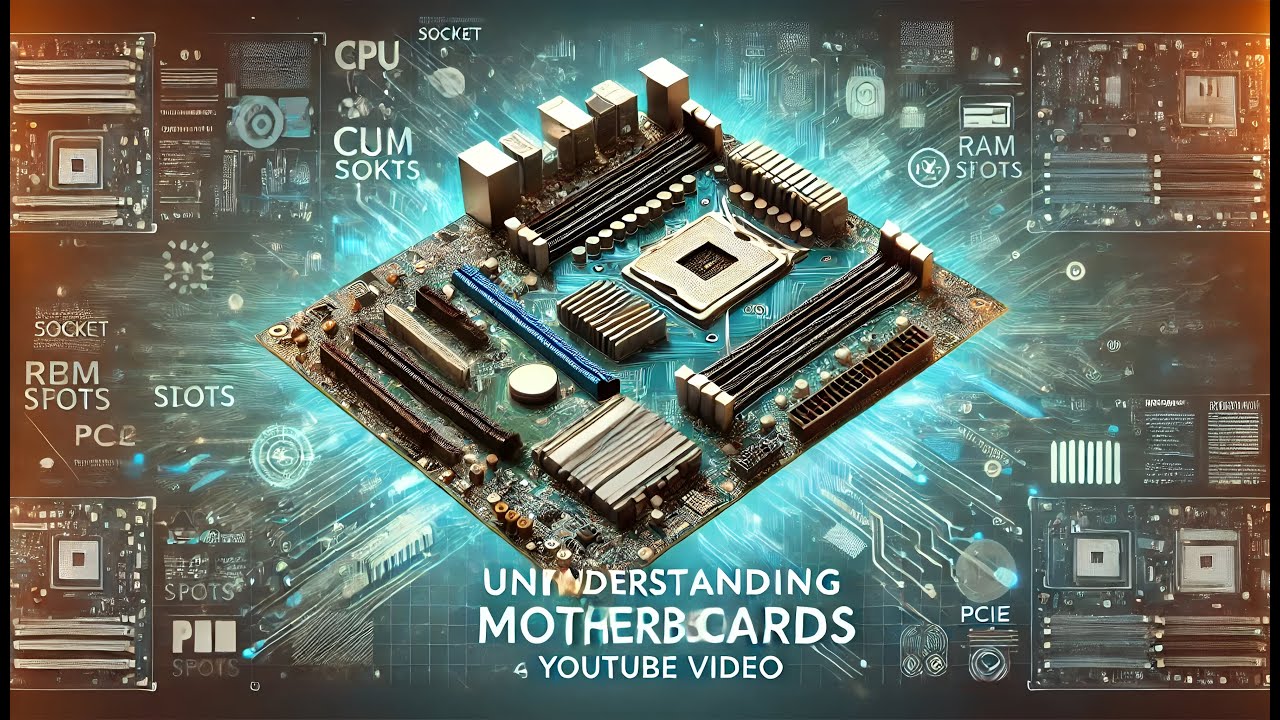
The chipset is a critical component of a motherboard that determines its overall capabilities and performance. It acts as a communication hub, managing data transfers between the processor, memory, and other peripheral devices. A well-designed chipset can significantly enhance the efficiency and speed of a system, while a poorly designed one can create bottlenecks that hinder performance.
The role of chipsets in a motherboard extends beyond mere connectivity; they are integral in determining compatibility with processors and memory types. Different chipsets support various CPU architectures and memory standards, which directly influences the performance and upgrade paths available for a given system. For instance, a motherboard equipped with a modern chipset may support the latest DDR5 memory, whereas an older chipset may only be compatible with DDR4. This compatibility aspect is crucial for users looking to build or upgrade their systems, as it dictates the types of components they can install.
Examples of Popular Chipsets and Their Advantages
Several popular chipsets are known for their unique advantages, catering to different user needs. Below are a few noteworthy examples:
- Intel Z690 Chipset: This chipset supports Intel’s 12th generation Alder Lake processors and is designed for high-performance gaming and content creation. It offers features such as support for PCIe 5.0 and DDR5 memory, resulting in enhanced data transfer rates and improved performance.
- AMD B550 Chipset: A mid-range option for AMD Ryzen processors, the B550 chipset provides PCIe 4.0 support, allowing faster SSD performance and enhanced graphics capabilities. It’s an excellent choice for gamers looking for a balance between cost and functionality.
- Intel H670 Chipset: Offering robust support for Intel’s Alder Lake architecture, the H670 is designed for mainstream users who require a combination of performance and advanced features. It supports up to 14 USB ports and dual-channel memory, making it suitable for a variety of applications.
- AMD A520 Chipset: Targeted towards budget-conscious users, this chipset supports Ryzen processors but lacks some of the advanced features found in the B550 and X570 chipsets. It’s ideal for basic computing tasks and casual gaming.
The choice of chipset directly influences not only the performance of the motherboard but also the overall experience of the user. By selecting the right chipset, users can ensure that their systems remain relevant and capable of handling future upgrades and demands.
“The chipset is the backbone of motherboard performance, enabling seamless communication between components and determining the potential for upgrades.”
Installation Procedures for Motherboards in Desktop Computers
Installing a motherboard in a desktop computer is a crucial task that requires precision and care. This process serves as the backbone for your system, connecting all components and ensuring proper functionality. Taking the time to follow each step carefully will lead to a successful installation and longevity of the hardware.
Before beginning the installation, it’s essential to gather the necessary tools and take some safety precautions. The right tools will make the process smoother, while precautions will help you avoid damaging components or yourself.
Necessary Tools and Safety Precautions
Gathering the appropriate tools is critical for a seamless motherboard installation. Here’s a list of items you will need:
- Phillips head screwdriver
- Anti-static wrist strap (recommended)
- Zip ties for cable management
- Thermal paste (if installing a CPU and cooler)
- Flashlight for visibility in tight spaces
- Motherboard manual for specific instructions
Safety precautions should never be overlooked. It’s advisable to:
- Unplug the desktop case from any power source.
- Discharge static electricity by wearing an anti-static wrist strap or touching a grounded metal object.
- Handle components by their edges to minimize the risk of static damage.
- Ensure your work area is clean and free from clutter to prevent accidental damage.
Step-by-Step Motherboard Installation
The installation of a motherboard involves several meticulous steps that should be followed closely to ensure everything is correctly set up. Here’s a detailed guide:
1. Prepare the Case:
– Open the desktop case and remove any pre-installed components that may obstruct the installation of the motherboard, such as drive bays or fans.
2. Install the I/O Shield:
– Place the I/O shield (the metal plate that fits into the back of the case) into the designated slot on the back of the case. Ensure it snaps into place securely.
3. Position the Motherboard:
– Carefully align the motherboard with the standoffs in the case. The ports on the motherboard should fit through the I/O shield at the back.
4. Secure the Motherboard:
– Using your Phillips head screwdriver, gently screw the motherboard down onto the standoffs. Ensure that all screws are tightened evenly but avoid overtightening.
5. Install the CPU and Cooler:
– If not already installed, place the CPU into the socket on the motherboard, ensuring the alignment matches. Apply thermal paste if necessary, and attach the CPU cooler according to its instructions.
6. Connect Power Supply:
– Connect the main power cable from the power supply to the motherboard, usually a 24-pin connector, and the CPU power cable, typically an 8-pin connector.
7. Attach Data and Power Cables:
– Connect any necessary data cables for drives and peripherals. Additionally, connect the front panel connectors for power, reset, and USB ports, following the motherboard manual for layout.
8. Organize Cables:
– Use zip ties to neatly organize cables within the case to facilitate airflow and improve aesthetics.
9. Final Checks:
– Double-check all connections and ensure there are no loose cables or components. Ensure that the motherboard is securely fastened and everything is in its proper place.
10. Close the Case:
– Once all components are properly installed and checked, close up the case and secure it with screws.
Following these steps will ensure a successful motherboard installation, paving the way for a well-functioning computer system. Always refer to your specific motherboard manual for additional details and specifications relevant to your setup.
Troubleshooting Common Motherboard Issues
Motherboards are critical components of any computer system, serving as the backbone that connects all hardware parts. However, like any electronic device, they can experience problems. Identifying and resolving these issues is essential for maintaining optimal performance and longevity of your computer. This section explores some of the most common motherboard problems, their potential causes, diagnostic methods, and preventive measures.
Common Motherboard Problems
Several issues can arise with motherboards, each leading to distinct symptoms. Understanding these problems helps in diagnosing and resolving them efficiently. Here are some frequently encountered motherboard troubles:
- Power Failure: A motherboard may fail to power on, often due to a malfunctioning power supply unit (PSU) or a short circuit caused by improper installation or damaged hardware.
- Boot Failure: Symptoms include the system failing to POST (Power-On Self-Test) or reaching the BIOS setup. Causes can include faulty RAM, a defective CPU, or improper BIOS settings.
- Overheating: High temperatures can result from inadequate cooling or dust accumulation, which can lead to system instability and damage over time.
- Peripheral Connection Issues: Problems with USB ports or other connectors can arise from damaged ports on the motherboard itself or faulty peripheral devices.
- Random Crashes: Unexpected system shutdowns or crashes can occur due to driver issues, hardware conflicts, or failing components on the motherboard.
Diagnosing Motherboard Issues
Accurate diagnosis of motherboard issues often requires a methodical approach. Here are effective methods to identify problems:
1. Visual Inspection: Examine the motherboard for burnt components, bulging capacitors, or physical damage. This initial check can reveal obvious issues.
2. POST Code Beeps: Listen for beep codes during startup, which can indicate specific hardware issues. Refer to the motherboard manual for detailed codes.
3. Hardware Testing: Swap out suspected faulty components with known good ones. Testing RAM, CPU, and PSU individually can help pinpoint the issue.
4. BIOS Access: If accessible, enter BIOS settings to check hardware detection and system configurations. Resetting to default settings can sometimes resolve boot issues.
Solutions for Common Errors
Addressing motherboard problems often involves specific solutions tailored to the identified issue. Here are practical fixes for common errors:
- Power Issues: If the motherboard doesn’t power on, check the PSU connections and replace the power supply if necessary. Ensure there are no shorts, especially if hardware was recently installed.
- Boot Problems: Reseat RAM and CPU components. Clear the CMOS to reset BIOS settings, which can resolve conflicts and allow the system to boot.
- Overheating Solutions: Improve airflow by cleaning dust from the case and ensuring fans are operational. Consider upgrading the cooling system if overheating persists.
- Peripheral Issues: Test peripherals on another system to rule them out as the cause. If the motherboard ports are faulty, consider using expansion cards or USB hubs.
- Random Crashes: Update drivers regularly and check for hardware conflicts. Running diagnostic software can help uncover underlying issues.
Preventative Measures
Taking proactive steps can significantly reduce the likelihood of motherboard failures in the future. Consider these preventative practices:
- Routine Maintenance: Regularly clean the interior of your computer case to prevent dust build-up, which can lead to overheating.
- Proper Installation: Follow manufacturer instructions meticulously during component installation to avoid physical damage and ensure compatibility.
- Surge Protectors: Use surge protectors to safeguard your computer from voltage spikes that can damage the motherboard.
- Temperature Monitoring: Utilize temperature monitoring software to keep track of system temperatures and ensure they remain within safe limits.
- Quality Components: Investing in high-quality parts, including the motherboard itself, can enhance durability and reduce failure rates.
Advancements in Motherboard Technology Over the Years
The evolution of motherboard technology has been a fundamental aspect of computer advancement, shaping how we interact with technology in everyday life. Over the decades, motherboards have transformed from simple circuit boards to complex systems that integrate multiple functionalities, catering to everything from basic computing to high-performance gaming and professional workstations.
Key technological advancements have significantly influenced motherboard design and functionality, including the increase in processing power, integration of advanced connectivity options, and support for innovative storage solutions. The transition from older technologies to modern standards reflects a remarkable journey that has drastically improved user experience and performance.
Comparison of Older and Contemporary Motherboard Technologies
The differences between older motherboard technologies and contemporary innovations are stark, particularly in terms of connectivity and data transfer speeds. The advancements have enabled more efficient and faster communication between components, leading to overall improved performance.
Key points of comparison include:
– PCIe Standard Evolution:
– Older motherboards utilized PCI (Peripheral Component Interconnect) slots, which had limited bandwidth. The introduction of PCIe (PCI Express) revolutionized the interface by offering varying lane configurations (x1, x4, x8, x16), significantly increasing data transfer speeds and allowing for high-performance graphics cards and storage devices.
– USB Development:
– USB (Universal Serial Bus) ports have evolved from USB 1.0, which offered a maximum speed of 12 Mbps, to current standards like USB 3.2 and USB4, boasting speeds up to 40 Gbps. This evolution has enhanced peripheral connectivity, enabling quicker data transfers and supporting a wider array of devices.
– Memory Support:
– Early motherboards typically supported slower RAM technologies like SDRAM, whereas contemporary boards support high-speed DDR4 and DDR5 memory, which provide increased bandwidth and lower power consumption. This transition allows for more efficient multitasking and better overall system performance.
Timeline of Major Milestones in Motherboard Evolution
A chronological overview of key milestones in motherboard technology showcases its rapid development:
| Year | Milestone |
|---|---|
| 1981 | Introduction of the first IBM PC with a simplistic motherboard layout. |
| 1992 | Launch of PCI (Peripheral Component Interconnect) standard for improved connectivity. |
| 1996 | Introduction of AGP (Accelerated Graphics Port) for enhanced graphics performance. |
| 2004 | Launch of PCI Express, replacing AGP and PCI for better data transfer. |
| 2010 | Introduction of USB 3.0, offering significantly faster data transfer speeds. |
| 2020 | Release of PCIe 4.0 standard, doubling the bandwidth of its predecessor. |
| 2022 | Introduction of USB4, featuring faster data transfer and improved device compatibility. |
The Future of Motherboard Design and Emerging Trends
As technology continues to evolve at an unprecedented pace, motherboard design is also undergoing significant transformation. These changes not only reflect advancements in hardware capabilities but also the increasing demands of modern computing, including the rise of modular systems and the integration of smart technologies. The future of motherboards promises to enhance performance, efficiency, and user adaptability, setting the stage for a new era in computing hardware.
Emerging trends in motherboard design are primarily characterized by modularity and smart technology integration. Modular motherboards allow users to customize their systems more easily, promoting upgradability and repairability. This adaptability is particularly important in a world where consumers seek to maximize their investment in technology. Additionally, the incorporation of smart technology into motherboards enables features such as IoT connectivity, intelligent power management, and enhanced data processing capabilities, which align with the growing trend of smart devices.
Modular Motherboard Systems
The shift towards modular motherboard design is driven by the need for flexibility and sustainability in computing. Modular systems allow users to swap out components without replacing the entire board, reducing electronic waste and enabling easier upgrades. Notable examples of modular motherboard designs include:
- Intel NUC: The Next Unit of Computing (NUC) series showcases a compact design that allows users to customize components like RAM and storage, promoting a user-friendly upgrade path.
- ASUS ROG Crosshair VIII Formula: This motherboard features a modular design that allows users to add or replace components, providing enhanced performance tailored to gaming enthusiasts.
- Gigabyte AORUS: The AORUS series integrates modular elements that enhance cooling and power delivery, making it suitable for high-performance applications.
The importance of these modular systems lies not only in their performance capabilities but also in their potential to reshape consumer behavior. As users become increasingly aware of sustainability, the demand for modular systems that extend product life cycles is expected to rise.
Integration with Smart Technology
The integration of smart technology into motherboards is a trend that reflects the convergence of computing with everyday devices. Motherboards are now being designed with built-in support for smart features such as AI-driven optimizations and compatibility with pervasive IoT ecosystems. For instance:
- MSI MPG B550 Gaming Edge WiFi: This motherboard comes with WiFi 6 capability and Bluetooth support, enabling seamless connectivity with smart devices and enhancing the overall user experience.
- ASRock X570 Taichi: Equipped with advanced thermal management features and smart power delivery systems, this motherboard ensures optimal performance while managing energy consumption effectively.
- ASUS ROG Strix Z490-E Gaming: This model features AI overclocking, which learns user behavior and optimizes performance, showcasing how smart technology can innovate traditional motherboard functionalities.
The impact of integrating smart technology into motherboards is profound, as it allows for more efficient computing environments and fosters a seamless connection with other smart devices. As manufacturers continue to innovate, we can anticipate future motherboards that further enhance our computing experiences, providing higher efficiency, enhanced connectivity, and smarter performance management.
“The future of motherboard design is not just about performance; it’s about creating adaptable, smart platforms that seamlessly integrate into a connected world.”
The Role of Motherboards in Gaming PCs and Their Unique Features
Motherboards play a critical role in the performance and functionality of gaming PCs. They serve as the backbone of the system, connecting all components and facilitating communication between them. A high-quality motherboard is essential for gamers who seek optimal performance, stability, and the ability to leverage advanced gaming features.
Motherboards designed for gaming often come with specific features tailored to enhance the gaming experience. These include support for overclocking, improved cooling solutions, and advanced connectivity options. Overclocking allows gamers to push their CPU and RAM beyond the standard specifications to gain higher performance, while robust cooling solutions ensure that temperatures remain manageable during intense gaming sessions.
Overclocking and Cooling Solutions
Overclocking capabilities are a standout feature of gaming motherboards. Most high-end models include enhanced power delivery systems and BIOS options that enable users to tweak settings for optimal performance. This is particularly beneficial for competitive gamers seeking every possible edge.
Cooling solutions are another critical aspect of gaming motherboards. They often feature reinforced heatsinks, better fan headers, and even built-in thermal sensors to maintain optimal operating temperatures. This not only preserves component longevity but also ensures that performance remains consistent during strenuous gaming activities.
For those looking to build or upgrade their gaming systems, the quality of the motherboard directly impacts overall system stability. A well-built motherboard minimizes the chances of crashes and ensures that all components communicate effectively. Additionally, it can influence the system’s upgrade potential, allowing users to adapt to new technologies over time.
Recommended Motherboards for Various Gaming Setups
Selecting the right motherboard can be pivotal for achieving the desired gaming performance. Here are some recommended motherboards for different gaming setups:
- High-End Setup: ASUS ROG Crosshair VIII Hero – Ideal for Ryzen processors with advanced overclocking features and excellent cooling options.
- Mid-Range Setup: MSI B550 Gaming Edge WiFi – Offers a balance of performance and features, including WiFi connectivity and solid power delivery.
- Budget Setup: Gigabyte B450M DS3H – A cost-effective choice with enough features to support a solid gaming experience without breaking the bank.
- Intel Setup: ASUS ROG Strix Z490-E Gaming – Perfect for Intel builds, it comes with strong overclocking capabilities and premium audio quality.
Choosing a motherboard with the right features ensures that your gaming rig is not only powerful but also future-proof, capable of accommodating upcoming technologies and performance demands.
Environmental Impact of Motherboard Manufacturing and Disposal
The production and disposal of motherboards have significant environmental implications that often go unnoticed. As the backbone of electronic devices, motherboards are composed of various materials and chemicals, which can pose challenges during their lifecycle. Understanding these impacts is crucial for developing sustainable practices within the electronics industry.
The manufacturing process of motherboards involves numerous steps, from sourcing raw materials to assembly and testing. These processes consume substantial amounts of energy and water, contributing to carbon emissions and resource depletion. Additionally, the extraction of materials such as copper, gold, and rare earth metals can lead to habitat destruction and pollution, particularly in mining regions. Furthermore, improper disposal of motherboards generates electronic waste (e-waste) that contains hazardous substances like lead, mercury, and brominated flame retardants, which can leach into soil and water, causing long-term environmental damage.
Statistics on Electronic Waste and Environmental Impact
The growing volume of electronic waste is a pressing environmental issue. In 2019 alone, the world generated approximately 53.6 million metric tons of e-waste, a figure expected to rise to 74.7 million metric tons by 2030, according to the Global E-waste Monitor. This alarming trend highlights the urgent need for sustainable recycling and disposal methods.
The following statistics illustrate the impact of e-waste on the environment:
-
Only about 17% of e-waste is recycled properly worldwide, leaving 83% to end up in landfills or improperly processed.
-
Improperly disposed e-waste can release up to 1.5 million tons of lead into the environment annually.
-
Electronic waste contains valuable materials: approximately 7% of the world’s gold supply is found in e-waste, along with significant quantities of silver and copper.
Sustainable practices can significantly reduce the environmental footprint of motherboard manufacturing and disposal. Encouraging responsible consumption, recycling initiatives, and the development of eco-friendly components are steps that the electronics industry can adopt to minimize its environmental impact. Companies are now exploring methods such as using recycled materials in production, designing for longevity, and implementing take-back programs to responsibly recycle old devices and components, thereby reducing e-waste and conserving resources. As consumers become more aware of these issues, they can advocate for and support manufacturers who prioritize sustainability in their operations.
Ending Remarks
In summary, the motherboard is more than just a circuit board; it’s the heart of a computer that orchestrates the symphony of hardware components. As technology continues to advance, motherboard designs will evolve, embracing new trends and improving performance. Whether you’re a casual user or a hardcore gamer, understanding the role and future of motherboards can empower you to make informed choices when it comes to building or upgrading your system.
FAQ Guide
What is the primary function of a motherboard?
The primary function of a motherboard is to connect and allow communication between all the components of a computer, including the CPU, RAM, and storage devices.
How do I choose the right motherboard for my needs?
Choosing the right motherboard depends on your specific requirements such as the type of CPU you plan to use, the form factor that fits your case, and the features you need like connectivity or expansion slots.
Can I use any CPU with any motherboard?
No, you must ensure that the motherboard’s chipset supports the CPU socket type of the processor you plan to use.
What are the common signs of a failing motherboard?
Common signs of a failing motherboard include random crashes, failure to boot, and hardware components not being recognized.
How often should I upgrade my motherboard?
The frequency of upgrading your motherboard depends on your usage and needs; typically, it’s done when you want to support newer technology or if the current one fails.