Debugging is a fundamental aspect of software development, a vital process that helps developers identify and resolve errors or bugs in their code. It goes beyond mere troubleshooting; it’s an art and science combined, allowing programmers to enhance their applications’ functionality and reliability. As software becomes increasingly complex, the necessity of mastering debugging techniques is more pronounced than ever.
In the ever-evolving landscape of technology, understanding the various debugging methods, tools, and best practices is crucial for any developer. From print statements to advanced logging mechanisms, debugging not only aids in correcting current issues but also plays a significant role in preventing future ones. Whether working in web development, mobile apps, or embedded systems, effective debugging can drastically influence software quality and performance.
Understanding the Basics of Debugging
Debugging is an essential aspect of software development that involves identifying, analyzing, and removing errors or bugs within a codebase. The significance of debugging cannot be overstated, as it ensures that software operates smoothly, meets user expectations, and performs efficiently. A developer’s ability to effectively debug code directly impacts the overall quality of the software, making debugging not just a task but a vital skill in the software development life cycle.
The fundamental concepts of debugging encompass a variety of techniques and strategies used to isolate and fix errors. These can range from simple syntax mistakes to more complex logical errors that can cause a program to behave unexpectedly. Understanding the context of the program and the various environments in which it runs is crucial for effective debugging. Developers often utilize debugging tools such as integrated development environments (IDEs) equipped with built-in debuggers, which allow them to step through the code line by line, examine variable states, and set breakpoints.
Common Debugging Terminology
Familiarizing oneself with the common terms used in debugging is essential for clear communication within development teams. Below are key terms frequently encountered in the debugging process:
- Breakpoint: A designated point in the code where execution will pause, allowing inspection of the program’s state.
- Stack Trace: A report of the active stack frames at a certain point in time during the execution of a program, useful for diagnosing problems.
- Log: Output generated by a program that provides information about its execution, typically used for tracking down issues.
- Error Message: Descriptive text that indicates the type of error encountered, providing clues for debugging.
- Assertion: A condition that must be true at a certain point in the code, used to catch errors during development.
Examples of debugging techniques vary across programming languages. In Python, developers often utilize the built-in `pdb` module to set breakpoints and step through code. In JavaScript, using `console.log()` statements can help trace variable values throughout execution. C and C++ developers might rely on tools like GDB to track down segmentation faults or memory leaks. Each language offers a unique set of tools and methods designed to assist developers in resolving issues effectively.
“Debugging is like being the detective in a crime movie where you are also the murderer.” — Filipe Fortes
Common Debugging Techniques Used by Developers
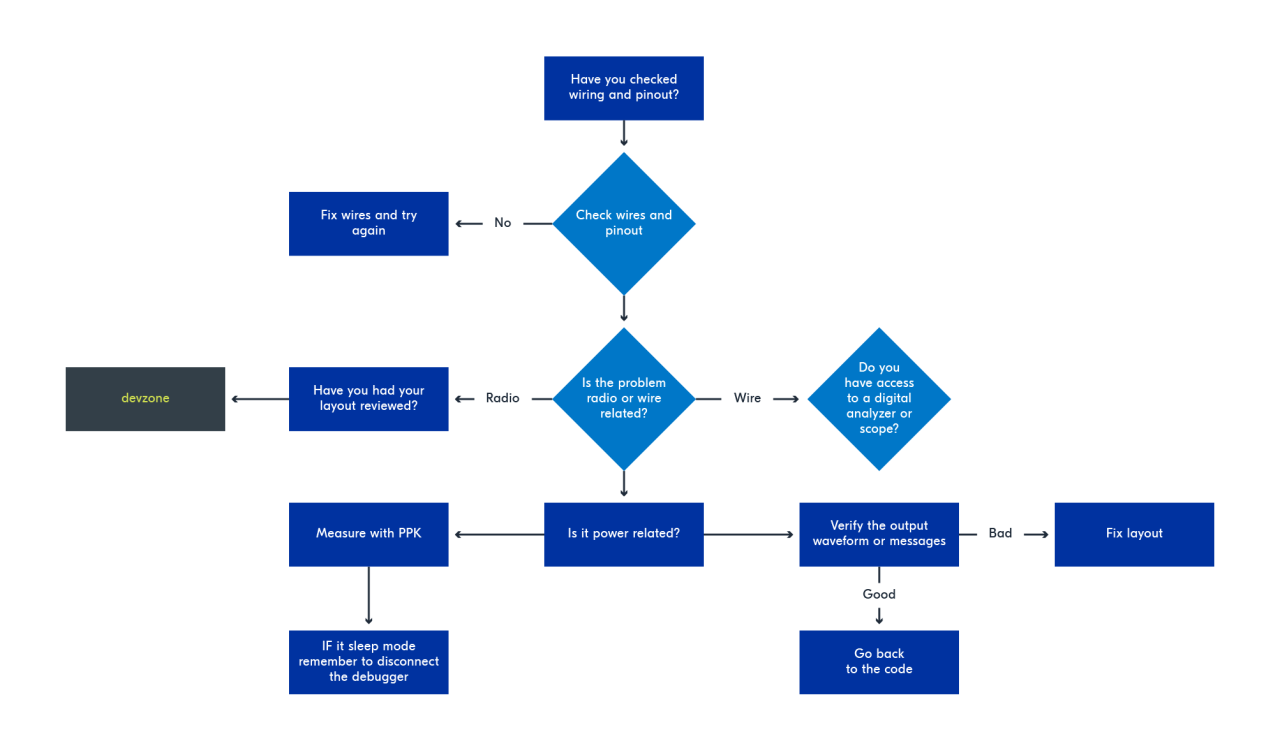
Debugging is a crucial aspect of software development, allowing developers to identify and fix errors in their code. Various techniques exist, each with its strengths and weaknesses. Understanding these techniques can significantly enhance the debugging process and contribute to more efficient software development.
Print Statements
Print statements involve inserting specific outputs at various points in the code to track variable values and program flow. This straightforward technique is particularly useful in small scripts or when investigating a specific area of code. By outputting the values of variables or the execution path, developers can gain immediate insights into the program’s behavior.
However, while print statements can be quick and effective, they also have limitations. They can clutter the output, making it hard to trace through large applications. Additionally, excessive use of print statements can lead to performance issues or even mask the underlying problem if not used judiciously.
Logging
Logging is an advanced technique that involves recording information about the program’s execution, often in a dedicated file. This method is beneficial for tracking long-term behavior and capturing information about errors that occur in production environments. Logging frameworks allow developers to set different levels (e.g., info, warning, error) of messages, making it easier to filter and focus on critical issues.
The effectiveness of logging shines in applications where the debugging process needs to be persistent and non-disruptive. For instance, a web application can log user actions and errors, enabling developers to review these logs when issues arise without impacting users’ experiences.
Breakpoints
Breakpoints are a feature of integrated development environments (IDEs) that allow developers to pause program execution at a specific line or condition. This technique enables deep inspection of variable states, the call stack, and the program flow in real-time. Breakpoints are particularly useful for complex applications where understanding the interaction between components is crucial.
While breakpoints offer a powerful way to dissect code behavior, they can be less effective in multi-threaded applications where timing issues complicate debugging. Moreover, they require a certain level of setup and understanding of the development environment.
Comparison of Debugging Techniques
Each debugging technique serves its purpose and is effective in different scenarios. Print statements can provide quick feedback during initial development, whereas logging offers a comprehensive view over time, especially in production scenarios. Breakpoints are ideal for intricate debugging tasks where a detailed examination of the execution state is necessary.
Choosing the right technique depends largely on the nature of the bug being addressed. For simple logical errors, print statements may suffice. However, for performance issues or bugs that occur in production, logging provides a clearer, more manageable audit trail. Breakpoints are best reserved for complex scenarios where understanding the program’s state is vital.
Understanding the context and choosing the appropriate debugging technique is essential for efficient problem resolution.
In summary, effective debugging combines the advantages of multiple techniques, enabling developers to adapt their approach based on the challenges they encounter.
The Role of Debugging Tools in Software Development
Debugging is a critical aspect of software development, serving as the bridge between writing code and delivering a functional product. It ensures that software operates as intended, allowing developers to identify and resolve errors before deployment. With the complexity of modern software applications, the use of debugging tools has become essential in the development process. These tools not only help in isolating bugs but also enhance overall efficiency by providing insights into the application’s behavior during execution.
Popular Debugging Tools and Their Key Features
Numerous debugging tools are available in the industry today, each designed to cater to specific needs and preferences. These tools provide various features that significantly enhance debugging efficiency, enabling developers to track down issues more quickly and effectively.
| Debugging Tool | Pros | Cons |
|---|---|---|
| GDB (GNU Debugger) |
|
|
| Visual Studio Debugger |
|
|
| Chrome DevTools |
|
|
| PyCharm Debugger |
|
|
| Postman |
|
|
Each of these tools offers unique features tailored to different development environments and programming languages. For example, GDB is renowned for its ability to debug applications in a command-line environment, which is essential for developers working in Unix-like systems. Conversely, Visual Studio Debugger provides a rich graphical interface that enhances user experience, particularly for Windows-based development. Chrome DevTools serves web developers with real-time debugging capabilities directly in their browser, making it indispensable for front-end development.
By utilizing these tools, developers can streamline their debugging processes, leading to quicker resolution of issues and ultimately more reliable software products. Debugging tools not only facilitate error identification but also promote a better understanding of code flow and application performance, which is crucial for maintaining high-quality software.
Debugging in Various Programming Environments
Debugging is a critical part of software development, impacting how applications perform across different environments. Each programming environment presents unique challenges and methodologies for debugging, shaping the tools and techniques developers utilize. This discussion delves into the nuances of debugging within web development, mobile applications, and embedded systems, highlighting real-world examples and the distinctive challenges faced in each context.
Challenges in Different Programming Environments
The complexity and nature of the debugging process vary significantly across different programming environments. Understanding these differences is crucial for developers as they navigate through issues that arise during the development phases.
In web development, debugging often involves dealing with multiple layers of abstraction, including the front-end (HTML/CSS/JavaScript), back-end (server-side logic, databases), and network issues. Tools like Chrome DevTools allow developers to inspect elements, debug JavaScript, and monitor network requests in real time. A common example is when a JavaScript function fails to execute due to an undefined variable. Developers can use breakpoints to halt execution and inspect variable states, facilitating a more straightforward debugging process.
In mobile app development, the debugging landscape changes with various platforms and devices. The environment often includes simulators and real devices with specific operating systems (iOS and Android). Debugging tools like Android Studio’s Logcat or Xcode’s Debugger help developers track down issues like app crashes or performance bottlenecks. For instance, an Android developer may encounter a NullPointerException; by analyzing logs, they can pinpoint the line of code causing the issue and implement a solution.
Embedded systems present unique challenges due to their hardware constraints and real-time requirements. Debugging tools are typically less sophisticated and often involve using hardware debuggers, oscilloscopes, or logic analyzers. For instance, in a microcontroller-based project, a developer might face issues with sensor data not being read correctly. By employing a JTAG interface, they can step through the code at the hardware level, observing real-time interactions between the software and the hardware components.
When comparing the challenges faced in these environments, several key points emerge:
- Layer of Abstraction: Web development deals with layered architectures, while embedded systems often require low-level debugging.
- Tooling Availability: Mobile development benefits from sophisticated IDEs, whereas embedded systems may rely on simpler tools.
- Real-time Constraints: Debugging embedded applications frequently requires immediate responses to events, complicating the process.
- Device Diversity: Mobile apps need to be tested across various device types and OS versions, increasing the testing burden.
“Debugging is twice as hard as writing the code in the first place.” – Brian Kernighan
Understanding these differences in debugging practices across environments helps developers adopt the most effective strategies for their specific context, ultimately leading to more reliable software solutions.
The Impact of Debugging on Software Quality Assurance
Debugging plays a crucial role in enhancing software quality assurance, serving as a foundational practice that identifies and resolves defects within the codebase. Effective debugging not only ensures that the software performs as intended but also helps maintain user satisfaction and trust. As technology continues to evolve, the demand for high-quality software that operates seamlessly has never been greater.
The relationship between debugging processes and the overall software development lifecycle is symbiotic; they are intricately connected at every phase, from planning and design to deployment and maintenance. Debugging occurs not just as a final step before release but is woven throughout the development stages. It begins during initial coding, where developers test segments of code to confirm they function correctly. As the software evolves, continuous integration and deployment practices further necessitate robust debugging strategies, ensuring that each iteration remains functional and meets user requirements.
Influence of Debugging on Software Quality
Effective debugging directly impacts software quality in several significant ways:
1. Error Reduction: By identifying and fixing bugs early in the development process, debugging minimizes the number of errors that make it to the final product. This leads to a more reliable and stable application.
2. Performance Optimization: Debugging aids developers in discovering not just functional errors but also inefficiencies in code. Optimized code enhances performance, which is critical for user experience, particularly in high-load environments.
3. User Satisfaction: A smooth, bug-free experience fosters user satisfaction. When software operates without interruptions or errors, users are more likely to trust and continue using the product, which is essential for retention and brand loyalty.
4. Cost Efficiency: Addressing bugs early in the development lifecycle is significantly more cost-effective than fixing issues post-deployment. The financial implications of late-stage debugging can be substantial, potentially leading to lost revenue and damage to reputation.
5. Compliance and Security: In industries where software must meet regulatory standards, thorough debugging ensures that applications comply with necessary guidelines and are secure from vulnerabilities. This aspect is particularly vital in sectors like finance and healthcare.
“Debugging is like being the detective in a crime movie where you are also the murderer.” – Filipe Fortes
Industry experts recognize the importance of debugging in ensuring the integrity and quality of software products. The agile development methodology, which emphasizes iterative progress and flexibility, highlights the necessity of continuous debugging throughout the project lifecycle. By integrating debugging practices into agile sprints, teams can enhance collaboration, improve code quality, and ensure that each build meets quality standards before reaching production.
Ultimately, the impact of debugging on software quality assurance cannot be overstated; it is a critical component that enhances performance, user satisfaction, and overall project success. As the software landscape continues to grow more complex, adopting rigorous debugging practices will remain essential for development teams striving to deliver high-quality, reliable applications.
Best Practices for Efficient Debugging
Debugging is an essential skill for developers that goes beyond simply finding and fixing errors. It involves a systematic approach to understanding how code behaves and identifying the root causes of issues efficiently. By adopting best practices, developers can streamline their debugging process, saving time and reducing frustration. Here are some effective strategies to enhance your debugging experience.
Maintaining Coding Standards and Documentation
Adhering to coding standards and maintaining thorough documentation plays a crucial role in simplifying the debugging process. When developers follow consistent coding conventions, it enhances code readability and maintainability, making it easier to identify issues when they arise. Establishing clear documentation helps to clarify the intended functionality of code segments, ensuring that anyone who interacts with the code can quickly understand the logic behind it.
For instance, using comments to explain complex logic can be invaluable during debugging. Well-documented code also facilitates smoother collaboration among team members, as it reduces the learning curve associated with understanding unfamiliar codebases. This collaborative environment fosters quicker identification of bugs, allowing for faster resolutions.
Common Mistakes to Avoid During Debugging
Certain pitfalls can hinder the debugging process and lead to wasted time and effort. Recognizing and avoiding these common mistakes can significantly enhance productivity.
- Ignoring Logs: Logs are vital for understanding application behavior. Neglecting to review them can lead to missed clues about the source of a problem.
- Debugging Live Systems: Attempting to debug in a production environment can introduce risks. Always replicate issues in a controlled setting first.
- Rushing to Fix: Hasty fixes may address immediate symptoms but fail to solve the underlying issues. Take time to analyze the root cause.
- Overlooking Version Control: Not tracking changes can make it difficult to pinpoint when a bug was introduced. Use version control systems diligently.
- Focusing on One Bug at a Time: Debugging multiple issues simultaneously can lead to confusion. Prioritize and resolve one issue at a time for better clarity.
Maintaining awareness of these mistakes ensures a more efficient debugging journey, allowing developers to focus on delivering high-quality software solutions. As the saying goes, “A stitch in time saves nine,” emphasizing that proactive debugging efforts can prevent larger issues down the line.
Future Trends in Debugging
The landscape of software debugging is rapidly evolving, driven by advancements in technology and shifts in developer practices. As software applications become increasingly complex, traditional debugging methods may struggle to keep pace. Emerging trends, particularly in artificial intelligence (AI), are poised to reshape how developers identify and resolve bugs, making debugging more efficient and effective.
One of the most significant trends in debugging is the integration of AI-assisted debugging tools. These tools leverage machine learning algorithms to analyze code and detect anomalies that may lead to bugs. For instance, tools like DeepCode and Snyk use AI to scan codebases for vulnerabilities and suggest real-time fixes. This represents a paradigm shift from manual debugging, allowing developers to focus on higher-level design and functionality while the AI handles routine checks.
AI-Assisted Debugging Tools
AI-assisted debugging tools offer numerous benefits that can dramatically alter the software development process. The following points illustrate their impact on debugging practices:
- Increased Speed: AI tools can analyze code much faster than human developers. They scan entire codebases in seconds, quickly identifying potential bugs and suggesting solutions, which accelerates the development lifecycle.
- Improved Accuracy: AI algorithms can detect patterns and anomalies that human developers might overlook. This leads to more precise detections of bugs and security vulnerabilities, reducing the risk of deploying flawed software.
- Continuous Learning: These tools learn from past debugging sessions, improving their accuracy and effectiveness over time. Each interaction contributes to a richer dataset that enhances future analyses.
- Cost Efficiency: By reducing the time spent on debugging, companies can allocate resources more effectively. Faster resolutions lead to reduced costs associated with extended development cycles and maintenance.
- Enhanced Collaboration: AI tools often provide collaborative features, allowing teams to share insights and fixes across projects. This fosters a culture of continuous improvement and knowledge sharing.
Despite these advancements, the incorporation of AI in debugging is not without challenges. One significant concern is the dependency on AI tools, which could lead to complacency among developers. Relying solely on AI for bug detection might reduce developers’ skills and intuition over time. Additionally, there are potential issues related to data privacy as AI tools may require access to source code and sensitive information, raising concerns about intellectual property and data security.
Moreover, the effectiveness of AI tools depends on the quality of the data they are trained on. If the training data is biased or incomplete, the tool may generate inaccurate results, leading to more significant issues down the line. Developers must remain vigilant and maintain a balance between leveraging AI tools and honing their debugging skills.
As we look to the future, we can expect these AI-assisted debugging tools to become increasingly sophisticated. Companies may adopt more integrated development environments (IDEs) that seamlessly incorporate AI features, offering real-time suggestions and automated fixes as code is written. This shift may democratize debugging, making sophisticated tools accessible even to less experienced developers.
Overall, the future of debugging lies in the intersection of human expertise and AI efficiency. As technology continues to progress, the debugging process will likely become more streamlined, enabling developers to create higher-quality software with greater confidence. The ongoing evolution will undoubtedly redefine the software development landscape, presenting both exciting opportunities and challenges for developers worldwide.
Final Summary
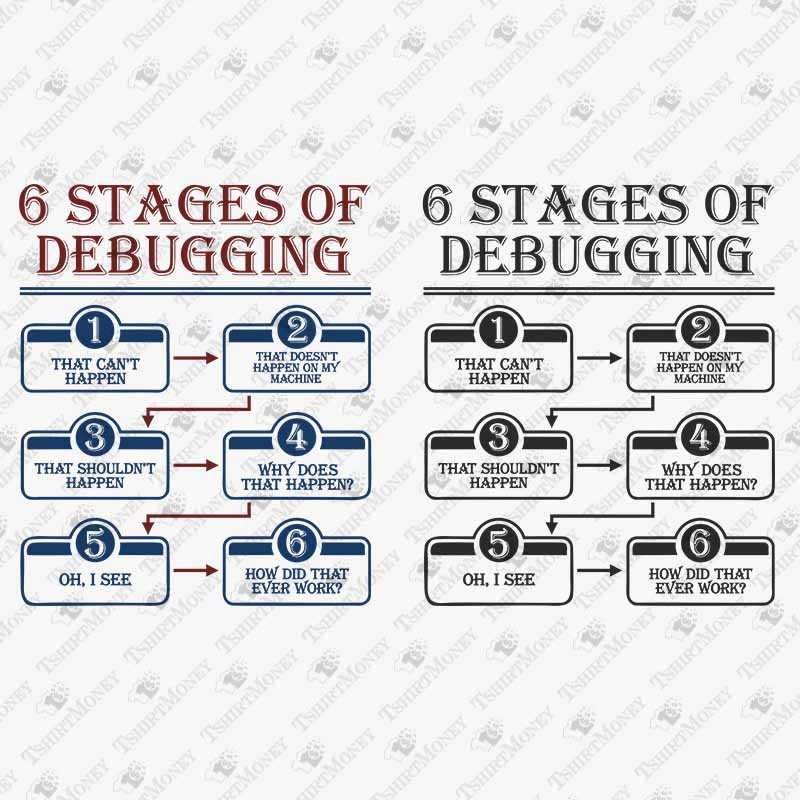
In conclusion, debugging is not just about fixing code but is integral to the overall software development lifecycle, ensuring that applications are not only functional but also of high quality. By adopting best practices and leveraging modern tools, developers can streamline their debugging processes and contribute to more robust software solutions. As technology advances, staying informed about emerging trends will further empower developers to tackle the challenges of debugging with confidence and skill.
Essential Questionnaire
What is debugging?
Debugging is the process of identifying, analyzing, and correcting errors or bugs in software code to ensure proper functionality.
Why is debugging important?
Debugging is crucial because it helps maintain software quality, enhances user experience, and prevents issues that can lead to software failures.
How can I improve my debugging skills?
Improving debugging skills can be achieved through practice, learning different techniques, using various debugging tools, and studying best practices.
Are there automated debugging tools available?
Yes, there are many automated debugging tools that can help identify and fix bugs more efficiently, leveraging AI and machine learning technologies.
What common mistakes should I avoid while debugging?
Common mistakes include not documenting changes, overlooking test cases, and assuming the first solution found is the correct one.