Solid State Drive (SSD) marks a pivotal advancement in data storage technology, transforming how we access and manage digital information. Unlike traditional hard disk drives (HDDs), SSDs use NAND flash memory to store data, eliminating the mechanical components that often lead to failure and slow performance. With their remarkable speed and efficiency, SSDs have become the preferred choice for modern devices, from laptops to enterprise servers, paving the way for a seamless user experience and improved productivity.
As we delve deeper into SSD technology, we uncover the intricacies of their construction, performance metrics, and the diverse applications that make them indispensable in today’s data-driven world. From gaming enthusiasts to professionals in healthcare and finance, the benefits of SSDs are evident, underscoring their significance in various industries and personal computing environments.
Solid State Drive technology overview
The emergence of Solid State Drives (SSDs) has revolutionized data storage technology, providing users with faster, more reliable, and energy-efficient solutions compared to traditional Hard Disk Drives (HDDs). Unlike HDDs, which rely on spinning disks and mechanical arms to read and write data, SSDs use flash memory, allowing for quicker access times and enhanced durability. This shift from mechanical to electronic components marks a significant advancement in how data is stored and retrieved.
The fundamental technology behind SSDs is largely based on NAND flash memory, a type of non-volatile storage that retains data even when the power is turned off. Unlike HDDs, which are limited by mechanical speed, SSDs offer near-instantaneous data access due to their lack of moving parts. This not only results in faster boot times and reduced load times for applications but also contributes to greater resistance against physical shock. The main components of an SSD include the NAND flash memory chips and a controller. The controller serves as the brain of the SSD, managing data transfer between the flash memory and the host system. It handles tasks like wear leveling, garbage collection, and error correction, which are essential for optimizing performance and enhancing the longevity of the drive.
Components of SSDs
To understand SSDs better, it’s crucial to delve into their key components. The primary elements that constitute an SSD include:
- NAND Flash Memory: This is the core of an SSD, where data is stored. NAND flash memory comes in various types, including SLC (Single-Level Cell), MLC (Multi-Level Cell), TLC (Triple-Level Cell), and QLC (Quad-Level Cell), each varying in speed, endurance, and cost.
- Controller: The controller manages the read and write processes, ensuring data integrity and optimal performance. It also oversees tasks like error correction and wear leveling to prolong the SSD’s lifespan.
- Cache Memory: Many SSDs incorporate DRAM cache, which temporarily holds data to speed up access times, making read and write operations more efficient.
- Firmware: This software embedded in the controller is responsible for the operation of the SSD, including managing data flow and optimizing performance routines.
Over the years, SSD technology has experienced significant evolution, resulting in notable improvements in speed, storage capacity, and durability. Early SSDs, introduced in the late 2000s, provided limited capacity and were primarily used in high-end applications. However, with advancements in NAND technology and manufacturing processes, SSDs have become more accessible and affordable for everyday users. For instance, the transition from SATA to NVMe (Non-Volatile Memory Express) interfaces has considerably boosted data transfer rates, achieving speeds that can surpass 6 GB/s compared to traditional HDDs. This evolution has not only transformed personal computing but has also paved the way for robust storage solutions in data centers and enterprise environments.
With this ongoing progress in SSD technology, the future promises even greater enhancements in performance and reliability, shaping the landscape of data storage for years to come.
Advantages of using Solid State Drives
Solid State Drives (SSDs) have transformed the landscape of data storage, offering major improvements over traditional Hard Disk Drives (HDDs). Their architecture, which relies on flash memory instead of spinning disks, brings significant benefits in various aspects of performance and usability.
The primary advantages of SSDs include faster data access speeds, enhanced durability, and greater power efficiency. These features not only streamline everyday computing tasks but also deliver superior performance in demanding environments like gaming and professional applications. Below, we explore the specific scenarios where these advantages become particularly pronounced and present a quick reference list of key benefits.
Key Benefits of Solid State Drives
The shift from HDDs to SSDs has been spurred by numerous advantages that enhance user experience. Here’s a closer look at the critical benefits of SSD technology:
- Speed: SSDs offer rapid data transfer rates, significantly reducing boot times and loading times for applications. For instance, while an HDD might take 30-40 seconds to boot up an operating system, an SSD can accomplish this in 10 seconds or less.
- Durability: With no moving parts, SSDs are more resilient to physical shock and wear compared to HDDs. This makes them ideal for portable devices like laptops, where bumps and drops can occur.
- Power Efficiency: SSDs consume less power, leading to longer battery life in laptops and lower energy costs in data centers. Their efficient design allows for cooler operation, reducing the need for extensive cooling solutions.
- Noise and Heat: Unlike HDDs, SSDs operate silently and produce less heat since they lack spinning disks. This can create a more pleasant working environment, particularly in quiet settings.
- Multi-tasking Capability: The speed advantage of SSDs allows for smoother multitasking. Users can run multiple applications simultaneously without significant lag, which is especially important in professional environments and gaming.
- Enhanced Gaming Experience: For gamers, SSDs drastically reduce load times in games, creating a seamless gaming experience. Titles such as “Call of Duty: Warzone” or “Cyberpunk 2077” benefit greatly from this speed, allowing players to dive into action faster.
- Reliability: SSDs have a lower failure rate compared to HDDs, resulting in less data loss and increased confidence in preserving important files and applications.
In summary, the transition to SSDs provides tangible benefits that improve user experience across various computing scenarios, from casual users to professionals and gamers alike.
Common applications of Solid State Drives
Solid State Drives (SSDs) have rapidly gained traction across various computing environments due to their speed, reliability, and efficiency. They have become integral components in numerous applications, ranging from personal devices to enterprise servers, fundamentally transforming how data is stored and accessed.
The versatility of SSDs allows them to be implemented in an array of devices such as laptops, desktops, servers, and data centers. Their benefits are particularly pronounced in scenarios demanding high-speed data processing and retrieval, leading to enhanced performance and user experience. Below are some notable applications and industries where SSD technology plays a vital role.
Applications of SSDs in Different Devices
SSDs are utilized in a diverse range of devices, enhancing performance and efficiency across the board. Their integration into various platforms includes:
- Laptops: Modern laptops utilize SSDs to improve boot times, application loading speeds, and overall system responsiveness, making them ideal for both personal and professional use.
- Desktops: Gamers and professionals alike prefer SSDs in desktops for their ability to handle resource-intensive applications and games with minimal latency.
- Servers: In server environments, SSDs facilitate faster data access, supporting the needs of applications that require quick read and write operations, such as databases and web services.
- Data Centers: Data centers leverage SSDs to optimize storage solutions, improve energy efficiency, and reduce operational costs while handling large volumes of data.
Industries Benefiting from SSD Technology
Several industries have recognized the advantages of SSDs, using them to elevate operational efficiency and enhance user experiences. Key sectors include:
- Gaming: The gaming industry benefits from SSDs by delivering faster load times and smoother gameplay experiences, crucial for competitive gaming.
- Healthcare: SSDs support quick access to patient records and imaging data, improving the efficiency of healthcare providers and enhancing patient care.
- Finance: In the finance sector, SSDs enable rapid transaction processing and secure data storage, essential for maintaining competitive edge and regulatory compliance.
Case Studies of SSD Integration
Numerous businesses have successfully integrated SSDs into their operations, showcasing significant improvements in performance and productivity.
One example is a major online gaming company that transitioned to SSDs for their game servers. This shift resulted in a 30% reduction in game load times, enhancing user satisfaction and retention rates.
Another case involves a healthcare provider that adopted SSDs in their IT infrastructure. By implementing SSDs, they achieved a 50% increase in data retrieval speeds, allowing healthcare professionals to access critical patient data swiftly and efficiently.
In the finance sector, a leading bank upgraded its data storage system to include SSDs, which improved their transaction processing speed by 40%. This upgrade not only optimized customer service but also ensured compliance with stringent financial regulations.
These examples underscore the transformational impact of SSD technology across various sectors, highlighting their pivotal role in driving efficiency and enhancing user experience in today’s fast-paced digital landscape.
Performance comparison of Solid State Drives
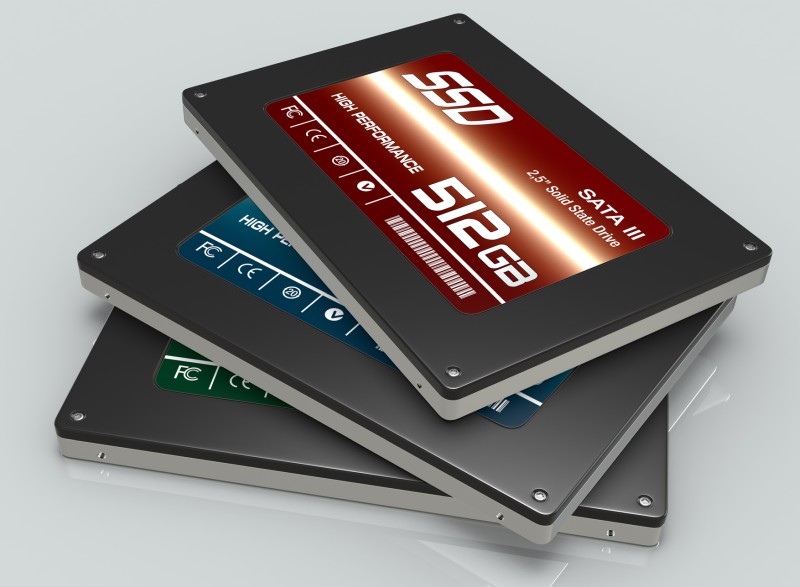
The performance of Solid State Drives (SSDs) is a critical aspect for consumers and professionals alike, influencing their choice of storage solutions. With the rise of digital data and the need for speed, understanding how SSDs perform is essential for optimizing their use in various applications. This section explores the performance metrics used to evaluate SSDs, comparing different types of SSD technologies and showcasing benchmark data for prominent models.
Performance Metrics for SSD Evaluation
To accurately assess the performance of SSDs, several key metrics are utilized. These include read/write speeds, which indicate how quickly data can be accessed and written, and IOPS (Input/Output Operations Per Second), a measure of how many read/write operations can be performed in one second. These metrics provide insight into how SSDs will perform under different workloads, such as gaming, data-intensive applications, or general use.
Read/write speed and IOPS are critical indicators of an SSD’s performance capabilities.
Types of SSDs and Performance Comparison
SSDs come in various forms, each with distinct performance characteristics. The primary types are SATA (Serial ATA), NVMe (Non-Volatile Memory Express), and PCIe (Peripheral Component Interconnect Express).
– SATA SSDs are the most common and use the SATA interface, providing decent speeds but limited to around 600 MB/s due to interface constraints. They are suitable for basic storage needs but may not meet the demands of high-performance applications.
– NVMe SSDs leverage the PCIe interface, significantly reducing latency and increasing throughput. They can achieve speeds exceeding 3000 MB/s, making them ideal for tasks that require rapid data access, such as gaming or video editing.
– PCIe SSDs are often synonymous with NVMe, as they both utilize the same interface. However, certain PCIe SSDs can be configured for higher performance by utilizing multiple lanes, further enhancing their data transfer capabilities.
NVMe SSDs outperform SATA SSDs due to their advanced interface and architecture.
Here’s a detailed table showcasing the performance benchmarks of popular SSD models across different types:
| Model | Type | Read Speed (MB/s) | Write Speed (MB/s) | IOPS (Random Read/Write) |
|---|---|---|---|---|
| Samsung 860 EVO | SATA | 550 | 520 | 98,000 / 90,000 |
| Western Digital Blue SN550 | NVMExpress | 2400 | 1750 | 400,000 / 300,000 |
| Samsung 970 EVO Plus | NVMExpress | 3500 | 3300 | 600,000 / 550,000 |
| Crucial P3 | NVMExpress | 3500 | 3000 | 500,000 / 450,000 |
This table highlights the significant differences in performance metrics among various SSD models, illustrating how technology advancements in NVMe and PCIe types lead to faster speeds and higher IOPS compared to traditional SATA SSDs. Understanding these distinctions can help users make informed decisions based on their specific performance requirements.
Future trends in Solid State Drive technology
As technology evolves, Solid State Drives (SSDs) are at the forefront of innovation in data storage. Emerging trends indicate a constant push toward greater capacity, speed, and efficiency, reshaping how both consumers and businesses manage their data. The future of SSD technology promises exciting developments that will influence various aspects of digital storage and performance.
Emerging Technologies in SSDs
One of the most significant advancements in SSD technology is the adoption of 3D NAND. This innovative design stacks memory cells vertically rather than horizontally, allowing for higher storage densities without compromising performance. The shift to 3D NAND not only increases capacity but also enhances endurance and reduces costs per gigabyte.
Another trend gaining traction is the development of DRAM-less SSDs. These drives utilize a more straightforward architecture by eliminating the DRAM cache, which can reduce costs and power consumption. While they may not match the performance of traditional SSDs with DRAM, they offer an appealing solution for budget-conscious consumers and applications that do not require the highest levels of speed.
Potential Future Applications
The implications of these advancements lead to potential applications in various fields. The integration of SSDs in consumer electronics, such as smartphones and laptops, is expected to enhance user experiences significantly. Devices will benefit from faster boot times, quicker application loading, and improved overall performance, allowing users to handle more tasks simultaneously.
In enterprise environments, SSDs will continue to revolutionize data centers. With increasing data generation and the demand for real-time analytics, businesses will rely on high-speed SSDs to manage big data and cloud applications efficiently. The enhanced performance of SSDs will enable organizations to retrieve and process information swiftly, ultimately leading to better decision-making and increased competitiveness.
Implications for Consumer Electronics and Enterprise Solutions
The advancements in SSD technology will have far-reaching effects on both consumer electronics and enterprise solutions. For consumers, the increasing affordability and performance of SSDs mean that high-capacity drives will become standard in devices, enhancing the functionality of personal computers and gaming systems.
Enterprises will benefit from the transition to SSDs as storage solutions become more reliable, power-efficient, and faster. This shift will likely drive the development of new applications in artificial intelligence and machine learning, where rapid data access is crucial. As SSD technology continues to advance, it will enable further innovation across industries, fostering advancements in cloud computing, IoT devices, and beyond.
“The future of Solid State Drives is not just about storage, but about redefining speed and efficiency in data retrieval.”
Risks and drawbacks of Solid State Drives
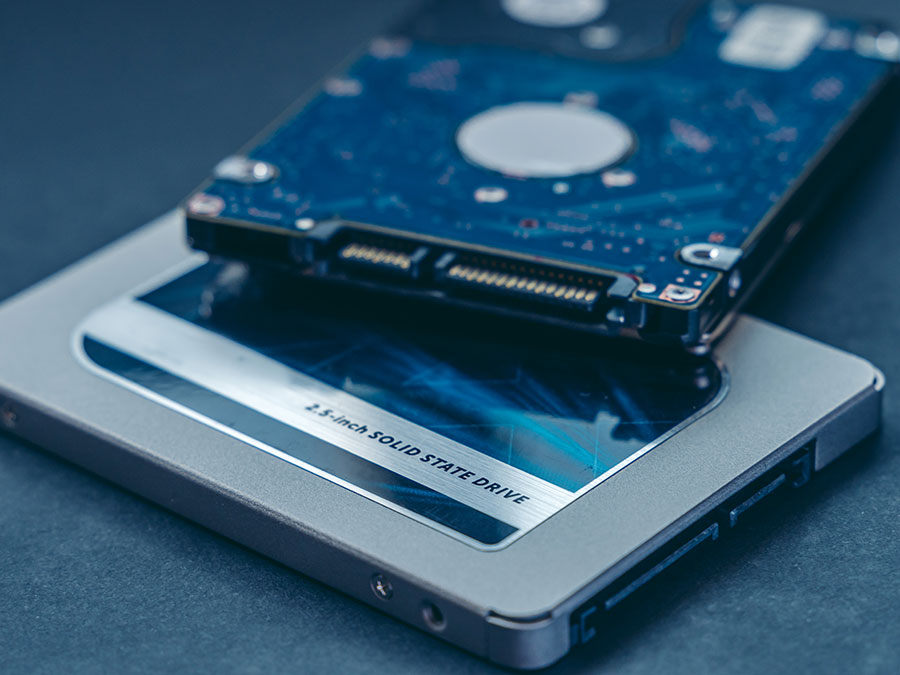
While Solid State Drives (SSDs) have become increasingly popular for their speed and efficiency, they also come with their own set of limitations and risks. Understanding these drawbacks is crucial for users, especially in environments where data integrity and longevity are paramount.
One of the main concerns with SSDs is their data retention capabilities. Unlike traditional Hard Disk Drives (HDDs), which can retain data without power for an extended period, SSDs may lose data under certain conditions, particularly after prolonged periods of inactivity. Wear leveling is another critical issue; SSDs have a limited number of write and erase cycles, meaning that the more frequently data is written, the shorter the lifespan of the drive may be.
Considerations for Users in Data-Sensitive Environments
When selecting an SSD for sensitive applications, users should be aware of several important factors:
– Data Retention Issues: SSDs may lose stored data if not powered for extended periods. Users should implement data backup strategies for critical information.
– Limited Write Cycles: SSDs typically endure around 3,000 to 100,000 write cycles, after which performance can degrade. Selecting SSDs with higher endurance ratings can mitigate this risk.
– Performance Degradation: Over time, as SSDs fill up, their performance can decline. Users should maintain adequate free space for optimal operation.
– Data Recovery Challenges: In the event of failure, data recovery from SSDs can be more complex and less successful compared to HDDs. Regular backups are essential.
– Cost Considerations: SSDs are generally pricier per gigabyte compared to HDDs. Weighing performance needs against budget constraints is crucial.
– Controller and Firmware Reliability: Variability in SSD controller technology and firmware can impact reliability and performance. Opting for reputable brands with solid warranties is advisable.
Understanding the risks associated with SSDs is essential for ensuring data integrity and longevity, especially in critical applications.
How to choose the right Solid State Drive
Selecting the right Solid State Drive (SSD) can significantly enhance your computing experience whether you are a gamer, a professional content creator, or just looking for reliable storage. Understanding the various factors that contribute to an SSD’s performance and compatibility with your system is crucial for making an informed decision.
When choosing an SSD, key considerations include its capacity, form factor, and interface. Each of these factors plays a vital role in determining how well the SSD will perform and how well it will fit into your existing setup.
Factors to Consider When Selecting an SSD
Choosing the right SSD involves evaluating several specifications and features that impact performance and compatibility. Here’s a breakdown of the critical aspects:
1. Capacity
The capacity of an SSD is one of the primary factors that will influence your choice. You need to assess your storage needs based on your usage patterns. Common capacities range from 250GB to 4TB or more.
– For general use, a 500GB SSD is typically sufficient.
– Gamers and content creators might require 1TB or more due to larger game and file sizes.
2. Form Factor
The form factor determines how the SSD fits into your system. The most common types are 2.5-inch SATA, M.2, and PCIe NVMe.
– 2.5-inch SATA: Commonly used in laptops and desktops; these drives are easy to install and relatively inexpensive.
– M.2: Smaller and faster than traditional SSDs, often used in ultra-thin laptops and modern desktops.
– PCIe NVMe: Offers the fastest data transfer rates and is suitable for high-performance applications.
3. Interface
The interface affects how quickly data transfers occur between the SSD and your computer.
– SATA III: Offers speeds up to 600 MB/s and is compatible with most systems.
– NVMe: Provides significantly faster read/write speeds, reaching up to several GB/s, but requires compatible hardware.
4. Read/Write Speeds
The speed ratings of an SSD can often be a distinguishing factor in performance, measured in megabytes per second (MB/s). Higher speeds are generally preferable, especially for tasks that involve large file transfers or heavy applications.
5. Customer Reviews and Warranty Policies
Reading customer reviews can provide insight into the real-world performance and reliability of SSDs. Positive feedback generally reflects a good track record, while negative reviews can signal potential issues. Furthermore, understanding warranty policies is essential as they indicate the manufacturer’s confidence in their product. Most SSDs come with a warranty ranging from three to five years, reflecting their expected lifespan.
Recommended SSDs Based on Use Cases
Below is a table highlighting recommended SSDs tailored for various applications and their performance ratings:
| Use Case | SSD Model | Capacity | Interface | Read Speed (MB/s) | Write Speed (MB/s) |
|---|---|---|---|---|---|
| General Use | Samsung 870 EVO | 500GB | SATA III | 560 | 530 |
| Gaming | Western Digital Black SN850 | 1TB | PCIe NVMe | 7000 | 5300 |
| Content Creation | Crucial P5 Plus | 2TB | PCIe NVMe | 6600 | 5000 |
| Budget-Friendly | Kingston A2000 | 500GB | PCIe NVMe | 2200 | 2000 |
When evaluating which SSD to purchase, ensure that it aligns with your specific storage requirements, performance expectations, and budget. The right SSD can make a noticeable difference in your system’s overall responsiveness and capability.
Maintenance tips for Solid State Drives
Maintaining a Solid State Drive (SSD) is critical for ensuring its optimal performance and longevity. Unlike traditional hard drives, SSDs utilize flash memory to store data, which requires specific maintenance strategies to avoid potential issues. With proper care, users can maximize their SSD’s lifespan and reliability.
Regular maintenance practices can significantly enhance the performance of SSDs. These include managing storage space, keeping firmware updated, and monitoring drive health. Several tools and software are available to assist users in keeping track of the SSD’s status, which can help prevent data loss and extend the drive’s life.
Best Practices for SSD Maintenance
To ensure your SSD remains in top shape, consider the following best practices:
1. Keep Sufficient Free Space: Aim to keep at least 10-20% of your SSD’s storage free. This free space allows the drive to manage data more efficiently, reducing wear and tear.
2. Enable TRIM Functionality: TRIM helps the SSD manage unused data blocks, improving write performance and prolonging the drive’s lifespan. Most modern operating systems support TRIM, but it’s essential to ensure it’s enabled.
3. Limit Write Operations: Since SSDs have a limited number of write cycles, minimizing unnecessary write operations can help extend their life. Avoid activities that generate excessive writes, such as running intensive applications from the SSD.
4. Update Firmware Regularly: Manufacturers periodically release firmware updates that can enhance performance and fix bugs. Check the manufacturer’s website for the latest updates and patches.
5. Avoid Fragmentation: Unlike traditional hard drives, SSDs do not benefit from fragmentation. In fact, excessive fragmentation can lead to performance degradation. Using the drive’s built-in optimization tools can help maintain optimal performance.
Monitoring SSD Health and Performance
Using monitoring tools can provide insights into the health and performance metrics of your SSD. These tools allow you to track key parameters, ensuring that your drive operates efficiently. Some recommended tools include:
– CrystalDiskInfo: This free tool provides detailed information about your SSD, including temperature, health status, and SMART attributes.
– Samsung Magician: Designed for Samsung SSDs, this software offers performance benchmarks, firmware updates, and health monitoring features.
– SSD Life: This utility helps monitor SSD health and provides an estimate of remaining lifespan based on usage patterns.
Utilizing these tools can help identify potential issues before they escalate, allowing for timely interventions.
Procedure for Securely Erasing Data
Securely erasing data from an SSD not only protects sensitive information but also can restore the drive’s performance. Here’s a step-by-step procedure for securely erasing data from an SSD:
1. Backup Important Data: Before starting the erasure process, ensure that all critical data is backed up to another storage device.
2. Install Erasure Software: Use reliable software designed for SSDs, such as Parted Magic or the manufacturer’s proprietary tools.
3. Select the SSD for Erasure: Launch the software and select the SSD you wish to erase. Ensure you double-check the selection to avoid accidental data loss on the wrong drive.
4. Choose Secure Erase Option: Select the “Secure Erase” option in the software. This process typically involves sending a command to the SSD to delete all data securely and restore the drive to its factory state.
5. Confirm and Execute: Confirm your choice and execute the erasure process. This may take several minutes to complete, depending on the size of the SSD.
6. Verify Completion: After the process is finished, verify the drive’s status to ensure it has been wiped clean and is ready for new data.
Following these steps can help prolong the life of your SSD while ensuring your data is handled securely.
Conclusion
In summary, Solid State Drives (SSDs) represent a significant leap forward in storage technology, offering unparalleled advantages in speed, durability, and efficiency. As we continue to explore new innovations and applications, it’s clear that SSD technology will play a crucial role in shaping the future of data storage. Whether you’re a casual user or a business looking for reliable solutions, understanding SSDs will empower you to make informed decisions and optimize your experience in an increasingly digital landscape.
Essential Questionnaire
What is the lifespan of an SSD?
The lifespan of an SSD typically ranges from 5 to 10 years, depending on usage and the quality of the drive.
Can I recover data from a failed SSD?
Data recovery from a failed SSD is possible but can be complex and expensive, often requiring professional services.
Do SSDs use more power than HDDs?
No, SSDs generally consume less power than HDDs, making them more energy-efficient and better for battery life in laptops.
Are SSDs prone to data loss?
While SSDs are generally reliable, data loss can occur due to firmware issues or sudden power failures, so regular backups are recommended.
How do I know if my SSD is failing?
Signs of a failing SSD include frequent crashes, slow performance, and errors when reading or writing data. Monitoring software can help track SSD health.
What is TRIM and why is it important?
TRIM is a command that helps maintain SSD performance over time by allowing the operating system to inform the SSD which data blocks are no longer in use.